About The Little Brave
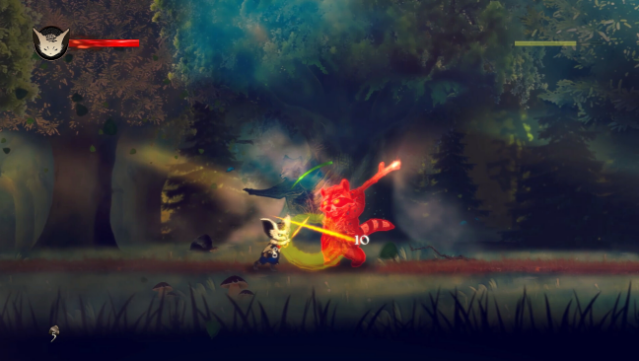
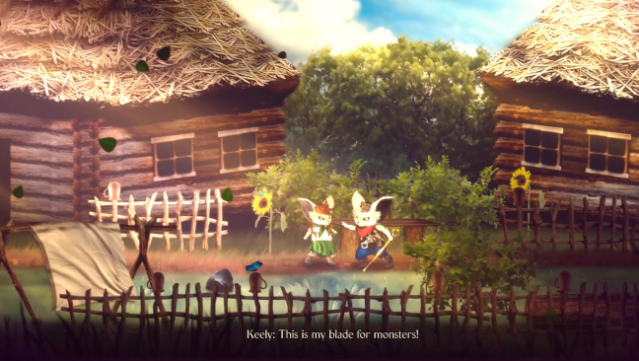
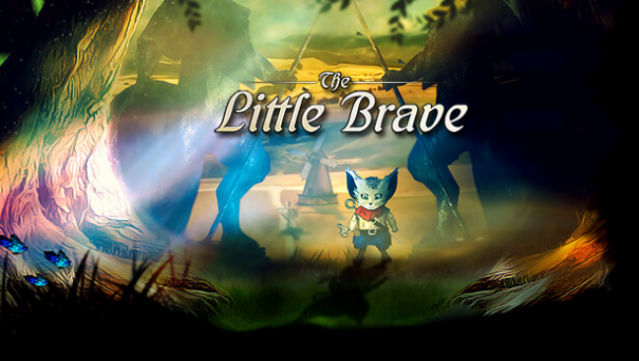
Dive into a captivating adventure where a young hero, Keely, must conquer his fears and explore forbidden lands filled with mystery and danger. This 2D action-adventure metroidvania invites players to unravel the secrets of a world that was once rich in magic, now cursed and distorted. As Keely traverses beautifully stylized environments, he encounters clever puzzles and treacherous traps that challenge his wit and bravery.
Combat plays a key role as you master a blend of melee and ranged attacks, while also utilizing mythic magic to take down formidable foes. The narrative unfolds as you search for pieces of long-lost magic, save your sister Weyka, and confront the monstrous guardians of the realm. This game is perfect for those who appreciate engaging storylines and intricate gameplay, especially fans of classic metroidvania titles.
Instructions
- Click the Download button below and you will be redirected to UploadHaven.
- Wait 5 seconds and click on the blue ‘download now’ button. We recommend using a download manager for faster download speeds. (You can use FDM which is free here, or any other download manager).
- Once the game is finished downloading, right click the .zip file and click on “Extract to The Little Brave v1.0.zip” (To do this you will need 7-Zip, which you can get here, or you can use the built in windows extractor).
- Double click inside the The Little Brave v1.0 folder and run the setup application. Accept the EULA, and install the game. Then, launch the game through the desktop shortcut.
The Little Brave Free Download (v1.0)
The Little Brave (v1.0)
Size: 1.12 GB
Reminder: This download is completely free and won't cost you a penny. However, If you love the game and want to purchase it, you can support the developers by doing so here.
System Requirements
- Requires a 64-bit processor and operating system
- OS *: Windows 7 (64bit)
- Processor: Intel Core 2 Duo
- Memory: 4 GB RAM
- Graphics: 2GB of video RAM
- DirectX: Version 10
- Storage: 5 GB available space
- Additional Notes: 16:9 recommended
Screenshots