
New — Desktop App
Your games.
Your games.
One launcher.
Browse, download, extract, and organize your games from one convenient Windows application. No ads, no extra tools. Powered by UploadHaven.
See what's new in v0.4.4 ↓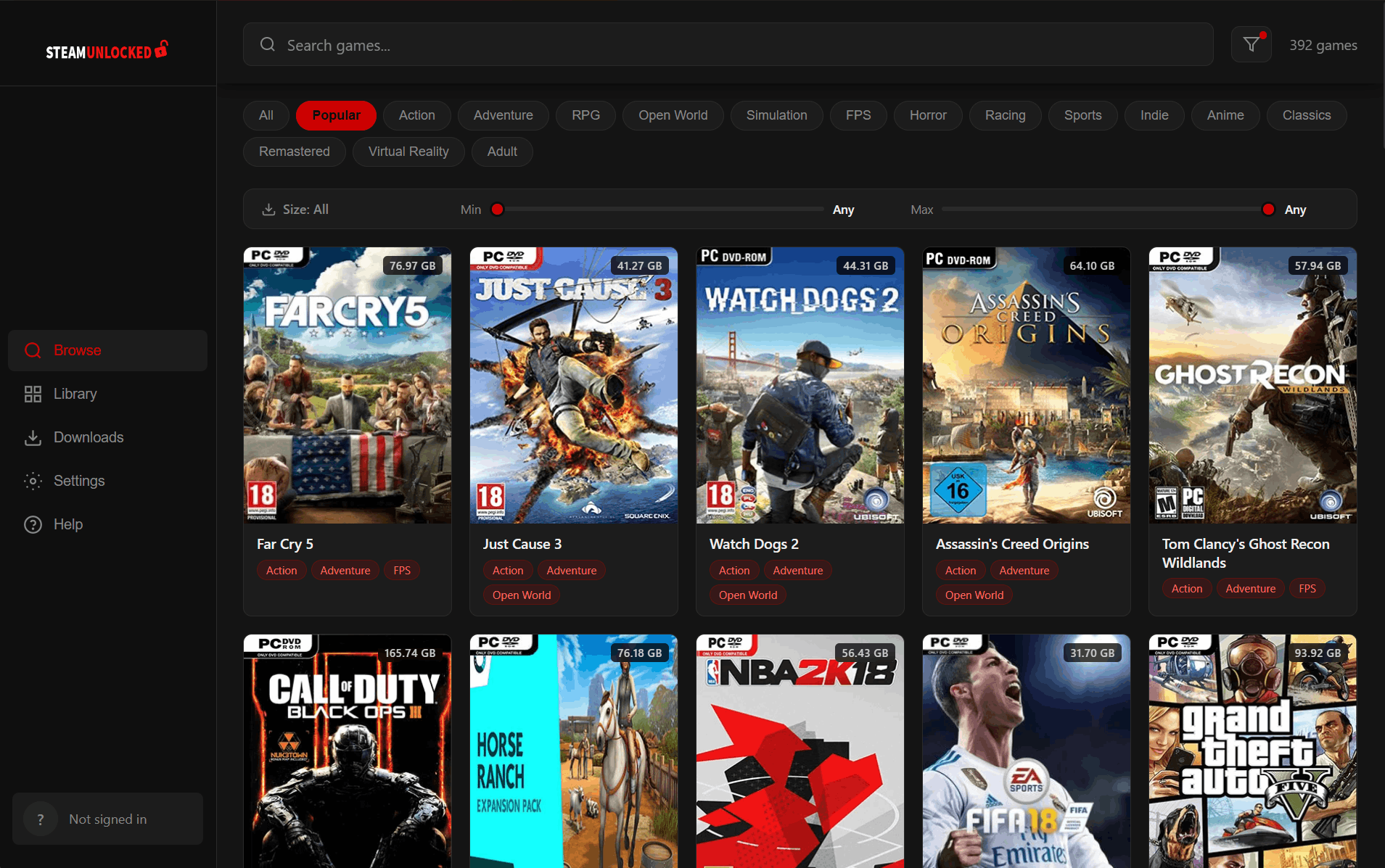
24,000+
games available
No Account Required
Download without signing up
No Ads
Clean, distraction-free
Built-in Downloads
No separate manager needed
Auto Extraction
No WinRAR or 7-Zip needed
Three steps. That's it.
1
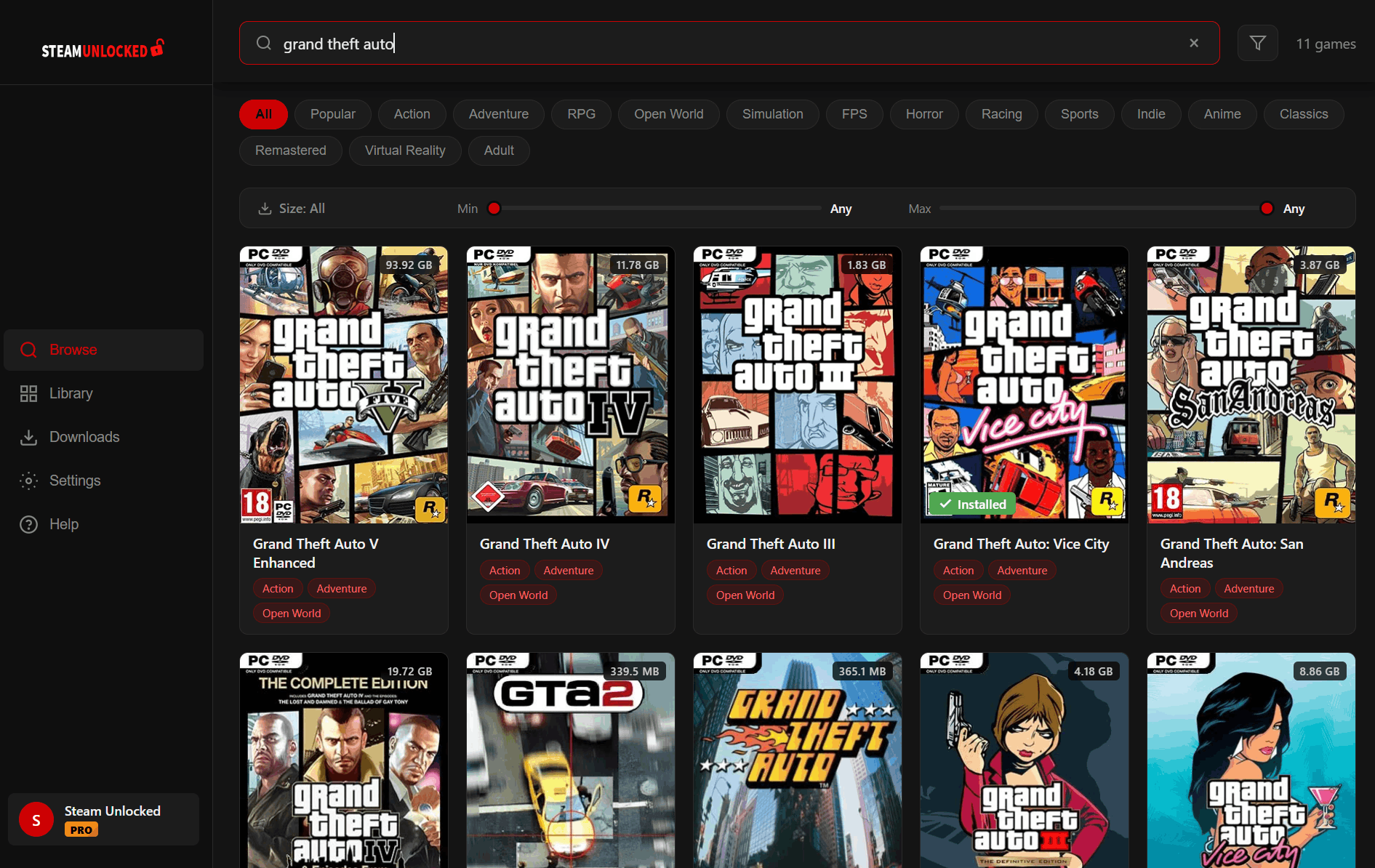
Browse
Search thousands of games by name, category, or size — right from your desktop.
2
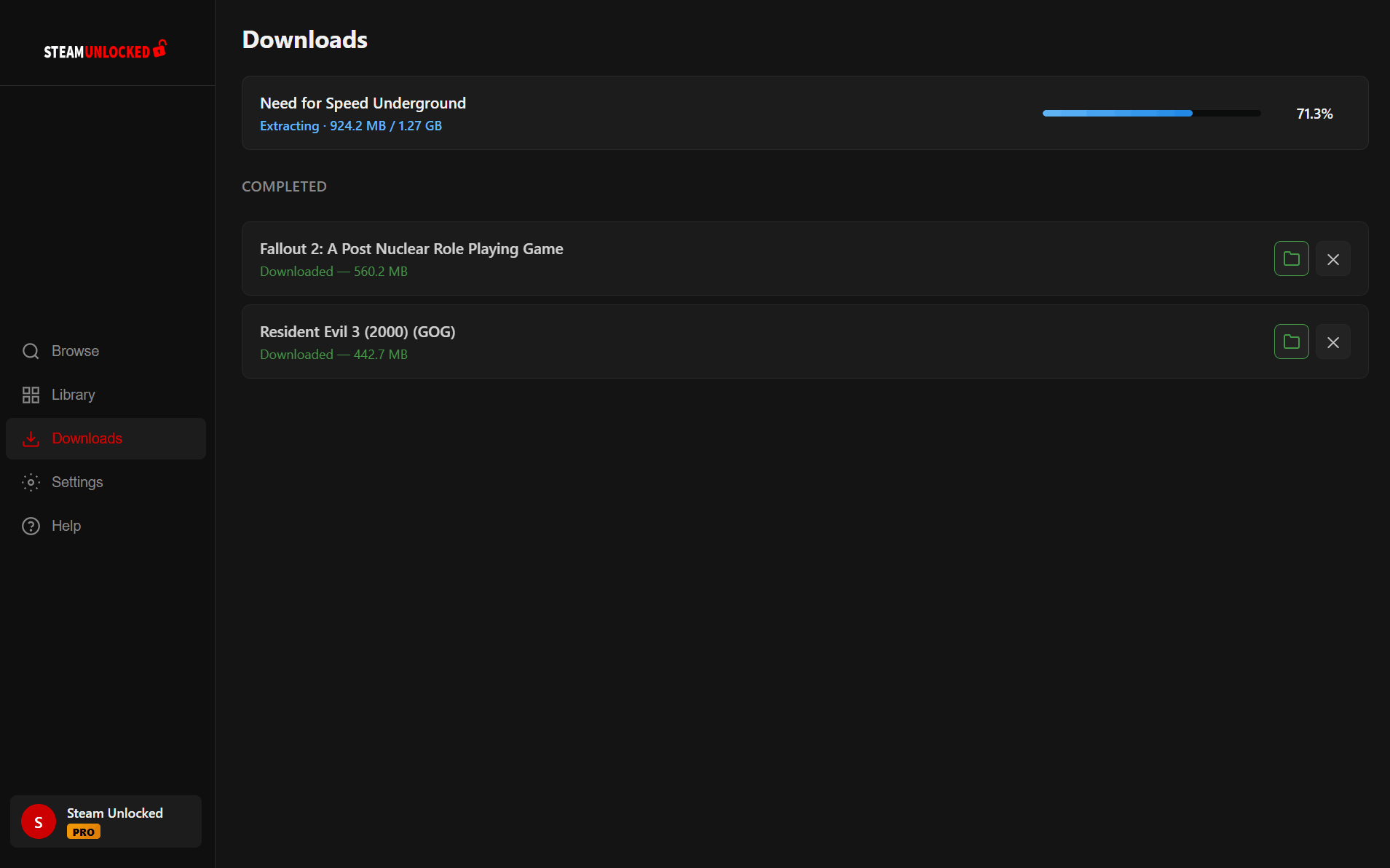
Download
One click to download. Multi-chunk parallel transfers, progress tracking, and automatic extraction.
3
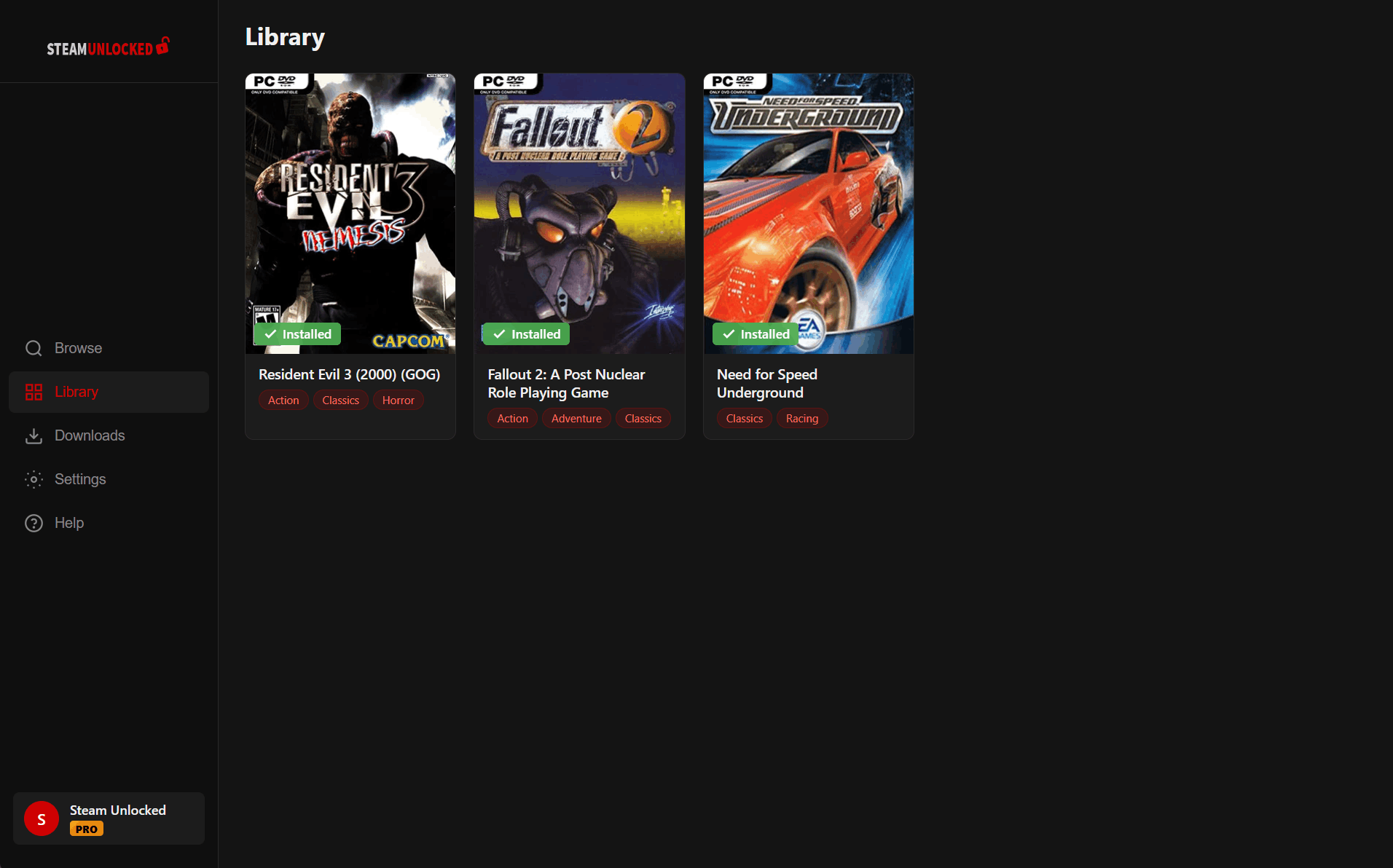
Ready to play
Games are extracted and organized automatically. Open, play, or uninstall from your library.
Latest Updates
v0.4.4
Latest
- Explore 18 new categories, including Platformer, Soulslike, Side-scroller and Software.
- Automatically removes the downloaded ZIP after a successful extraction retry to free up space.
v0.4.3
- More reliable ZIP extraction, with better disk-space checks, clearer errors and easier retries using your downloaded ZIP.
- Added more helpful troubleshooting details when you send a bug report.
v0.4.2
- Find games with Most viewed sorting, clearer filters and a Clear filters shortcut.
- Improved catalog refreshes for new and updated games.
- Added clearer retry options when extraction or saving needs another attempt.
- Improved Pro renewal prompts and account-status handling.
Show older updates
v0.4.1
- Added an optional experimental FPS counter for supported games, with guided setup in Settings. Off by default.
- Updated secure connection components and small bug fixes.
- Fixed the launcher staying blank after closing certain games.
v0.3.11
- Improved uninstall handling for certain games with bundled bonus content.
- Small interface and account-status improvements.
v0.3.10
- Fixed an issue that prevented some games from uninstalling
v0.3.9
- Improved cancelled-download cleanup and simultaneous-download controls
- Reduced startup disk activity for new downloads on supported drives
v0.3.8
- Improved download reliability when saving progress across simultaneous downloads
- Clearer status messages while preparing downloads and saving progress
- Improved automatic controller selection when multiple devices are connected
- Improved Add Game validation and filtered unrelated files from Scan for Games
- Fixed Library removal errors when a game's folder has already been moved or deleted
- Improved bug-report diagnostics to make download issues easier to troubleshoot
v0.3.7
- Added native Xbox and PlayStation controller support — browse, search, and launch games from your couch
- Improved download reliability, resume recovery, and completion
- Improved Play button accuracy, with running-game status and a Close Game option
- Improved Scan for Games to find more games inside nested folders
- Added Undo when removing a game from Favorites
- Improved runtime installation and Help page controls
- Added safer uninstall and folder reconnection, reduced download memory usage, and polished the interface
v0.3.6
- Added Library collections to organize your games
- Added category and download-size filters to Library and Favorites
- Streamlined sorting and filtering across Browse, Library, and Favorites
- Wider search bars, clearer download-size controls, and full game names on hover
v0.3.5
- Improved download reliability for updated games, with refreshed game details and automatic recovery from outdated download links
v0.3.4
- Improved Play button detection for more games
- More reliable downloads, better resume recovery, and more accurate progress for Free and Pro users
- Improved Library, Favorites, search, and account reliability
v0.3.3
- Downloads now recover after crashes or unexpected PC shutdowns
- Improved resume reliability for interrupted downloads
- Fixed retrying paused, failed, or cancelled downloads
- Added manual Extract controls when automatic extraction is disabled
v0.3.2
- Library Scan — scan a folder and quickly add your existing games to the Library
- Automatically matches imported games with covers and game details
- Improved Play button detection for more game folder layouts
- Downloads now better preserve progress after PC restarts or unexpected closures
- Prevented duplicate downloads of the same game
- Improved extraction performance and added smooth progress for large games
- Additional download reliability and resume improvements
v0.3.1
- Fixed pause button and downloads getting stuck at 100%
- Fixed downloads failing for VPN users
- Signing into Pro mid-download now cleanly restarts on the Pro server
- Improved download speeds — faster reconnection when connections drop
v0.3.0
- Improved download reliability — smarter retry logic and automatic recovery from internet interruptions
v0.2.9
- One-click runtime installer — install Visual C++, DirectX, .NET, and more from the Help page
- Defender exclusion — whitelist your download folder from Windows Defender with one click
- Fixed downloads stalling at 0 B/s
- Improved Play button detection for games with deep folder structures
v0.2.8
- Fixed "Recent" sorting in Library and Favorites so the newest additions appear first
v0.2.7
- Play button — launch games directly from your Library without digging through folders
- Favorites — create your own collection using the heart on any game card or detail page
- Date filter — narrow Browse results by when games were added
- Favorites and Library count badges in the sidebar
v0.2.6
- Fixed downloads and sign-in failing after SSL certificate change
- Pause and resume no longer briefly shows 0% before restoring progress
v0.2.5
- Fixed login and download issues after server maintenance
- No longer logs you out when your internet drops temporarily
- Improved error messages with connection diagnostics
v0.2.4
- Faster downloads for Pro users — doubled parallel connections
- Hide adult games toggle in Settings
- Multi-genre filtering
v0.2.3
- Fixed 503 errors with graceful shutdown
- "Updated" pill — browse recently updated games
- Download path write-permission check
v0.2.2
- Refresh catalog button, sort by Recently Added or Name
- Redesigned file size filter with dual-thumb slider
- Bug reports sent directly from the launcher
v0.2.1
- Downloads survive app restarts — pause, close, resume
- Add already-downloaded game folders with the + button
- 3–4× faster downloads for Pro users
v0.2.0
- Library search, A–Z and Recent sorting, infinite scrolling
Go faster with UploadHaven Pro
The launcher is free. Pro is an optional upgrade for maximum speed.
- ✓ Priority speeds — no cap, no throttle
- ✓ 5 simultaneous downloads
- ✓ 16-chunk parallel transfers
- ✓ No countdown — download immediately
Already have Pro?
Sign in inside the launcher to unlock all benefits automatically.
Create a Pro account →FAQ
Is the launcher free?
Yes, completely free. Browse, download, and play without paying anything or creating an account. UploadHaven Pro is an optional upgrade for faster speeds.
Do I need an account?
No. The launcher works without any account. If you have an UploadHaven Pro account, you can optionally sign in for faster downloads.
What games are included?
The launcher gives you access to the full GOG Unlocked catalog — over 23,800 pre-installed PC games ready to download and play.
Where are games downloaded?
By default, games are downloaded and extracted to a C:\ directory. You can change this in the launcher settings.
Does it need admin rights?
No. The launcher installs to your user folder and doesn't need administrator privileges to install or run.
Why does my antivirus flag the installer?
The launcher is new and our code signing certificate is being finalized. Some antivirus tools may flag unsigned or newly-signed software. This is a false positive — the launcher is safe. Always download only from gogunlocked.com.
How do updates work?
The launcher checks for updates automatically on launch. When an update is available, you'll see a one-click update button.
Skip the browser. Start playing.
Download for WindowsThe SteamUnlocked Launcher is built by the same team behind GOG Unlocked.