About MotorCubs RC
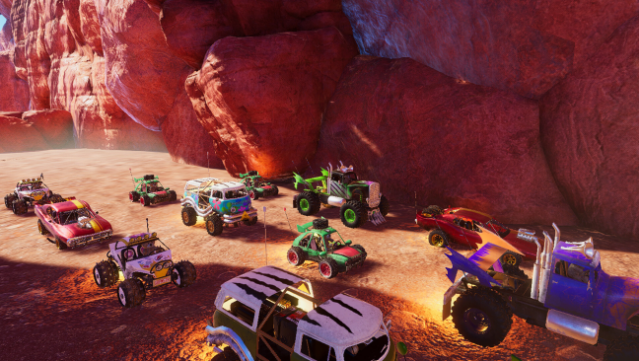
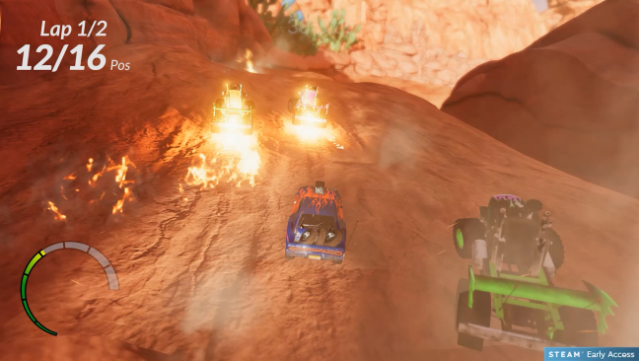
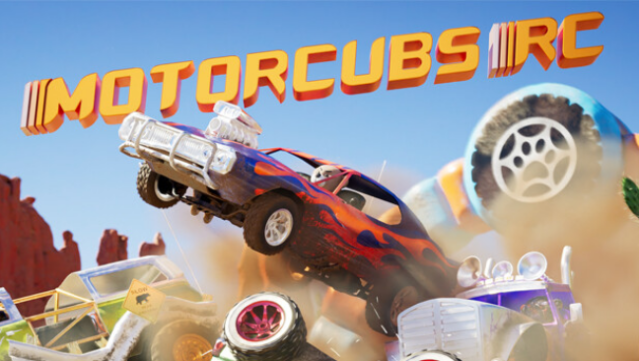
Dive into a wild off-road racing experience where professional racing bears take the wheel of RC vehicles in a stunningly crafted Monument Valley. As a racing game, it combines competitive thrills with a vibrant environment, allowing players to explore four distinct vehicle classes, each with unique strengths. The gameplay is packed with challenges, featuring dynamic terrain that includes rocks, mud, and wreckage, ensuring every race keeps you on your toes. You can race solo or invite a friend for some heated local multiplayer action, all while enjoying a nostalgic 90s rock soundtrack that amps up the excitement. Perfect for fans of quirky racing games who enjoy a fun twist on the genre.
Instructions
- Click the Download button below and you will be redirected to UploadHaven.
- Wait 5 seconds and click on the blue ‘download now’ button. We recommend using a download manager for faster download speeds. (You can use FDM which is free here, or any other download manager).
- Once the game is finished downloading, right click the .zip file and click on “Extract to MotorCubs RC v2023.05.15.zip” (To do this you will need 7-Zip, which you can get here, or you can use the built in windows extractor).
- Double click inside the MotorCubs RC v2023.05.15 folder and run the setup application. Accept the EULA, and install the game. Then, launch the game through the desktop shortcut.
MotorCubs RC Free Download (v2023.05.15)
MotorCubs RC (v2023.05.15)
Size: 4.61 GB
Reminder: This download is completely free and won't cost you a penny. However, If you love the game and want to purchase it, you can support the developers by doing so here.
System Requirements
- Requires a 64-bit processor and operating system
- OS: Windows 10
- Processor: Core i7-3770 or Ryzen 5-1600
- Memory: 8 GB RAM
- Graphics: GTX 1060 6GB or RX 5500 XT
- Storage: 9 GB available space
- Additional Notes: Disk Space will slowly grow as Final Release Approaches
Screenshots