About Dum-Dum
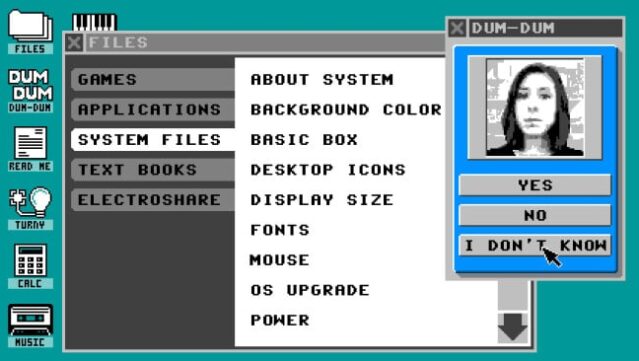
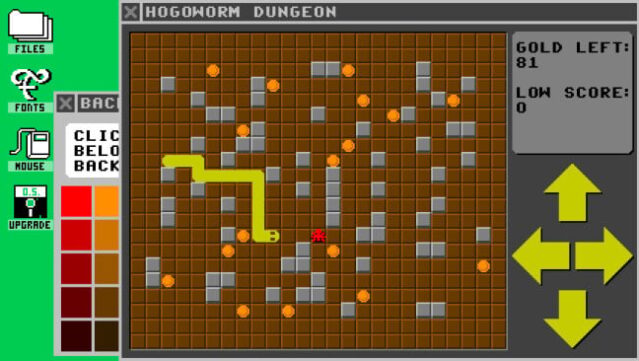
Dive into a quirky 1980s operating system where nostalgia meets adventure in a fully simulated environment. Set in the mid-1980s, this game immerses you in Hogo OS, a vibrant and colorful computing system that feels both familiar and fantastical, complete with classic applications like Solitaire and a BASIC programming language. As you explore this fictional OS, you can customize your desktop, solve puzzles, and uncover hidden quests while encountering eccentric characters and a mysterious backstory about an evil mastermind.
With multitasking capabilities to run multiple programs at once and a unique Electro-sharing feature for instant communication, the game offers a playful and open-ended sandbox experience. You can engage with a virtual companion through a wealth of video content, creating a rich tapestry of interactions. Perfect for fans of retro gaming and simulation adventures, this title is a delightful journey into a whimsical past.

Instructions
- Click the Download button below and you will be redirected to UploadHaven.
- Wait 5 seconds and click on the blue ‘download now’ button. We recommend using a download manager for faster download speeds. (You can use FDM which is free here, or any other download manager).
- Once the game is finished downloading, right click the .zip file and click on “Extract to Dum-Dum.zip” (To do this you will need 7-Zip, which you can get here, or you can use the built in windows extractor).
- Double click inside the Dum-Dum folder and run the setup application. Accept the EULA, and install the game. Then, launch the game through the desktop shortcut.
Dum-Dum Free Download
Reminder: This download is completely free and won't cost you a penny. However, If you love the game and want to purchase it, you can support the developers by doing so here.
System Requirements
- OS *: Windows XP SP2 or better
- Processor: Intel Celeron / Athlon Sempron or better
- Memory: 1 GB RAM
- Graphics: Open GL 2.0 compatible or better
- Storage: 400 MB available space
Screenshots