About Clamb
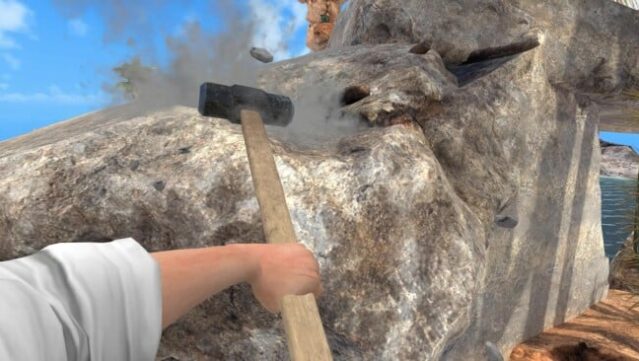
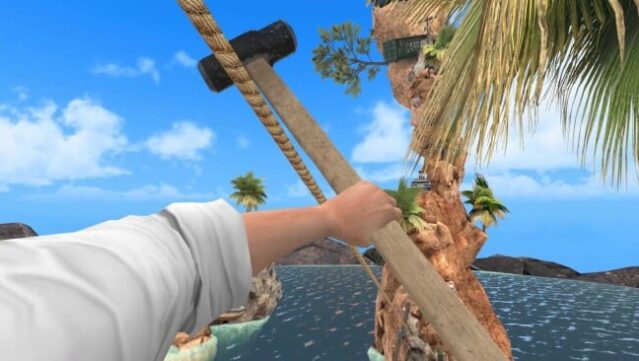
This VR climbing experience transforms a surreal mountain into a grueling test of skill and determination. Players navigate treacherous rocky platforms with just a hammer, where each swing demands precision to avoid disastrous tumbles. Drawing inspiration from games like Getting Over It, it emphasizes a single goal: reach the summit without the mountain's mercy.
The game offers two hammer styles—traditional Heavy Hammer for a punishing challenge and Twin Hammers for enhanced control—along with optional checkpoints for those who want to practice tricky sections without starting over. The physicality of VR makes each failed attempt feel real, pushing players to refine their movements and strategies. Ideal for fans of hardcore platformers, Clamb promises a mix of frustration and satisfaction, rewarding those who embrace its demanding climb.
Instructions
- Click the Download button below and you will be redirected to UploadHaven.
- Wait 5 seconds and click on the blue ‘download now’ button. We recommend using a download manager for faster download speeds. (You can use FDM which is free here, or any other download manager).
- Once the game is finished downloading, right click the .zip file and click on “Extract to Clamb.zip” (To do this you will need 7-Zip, which you can get here, or you can use the built in windows extractor).
- Double click inside the Clamb folder and run the setup application. Accept the EULA, and install the game. Then, launch the game through the desktop shortcut.
Clamb Free Download
Reminder: This download is completely free and won't cost you a penny. However, If you love the game and want to purchase it, you can support the developers by doing so here.
System Requirements
- OS: Windows 10
- Processor: Intel Core i5-4590 / AMD FX 8350
- Memory: 8 GB RAM
- Graphics: NVIDIA GTX 970 / AMD Radeon R9 290
- Storage: 3 GB available space
- VR Support: OpenXR. Standing, Room Scale or Seated. Valve Index using SteamVR and Meta/Oculus headsets using Meta Quest Link.
- Additional Notes: Meta/Oculus headsets using SteamVR is not recommended due to issues with the motion controller menu buttons.
Screenshots