About How To Grow a Black Hole
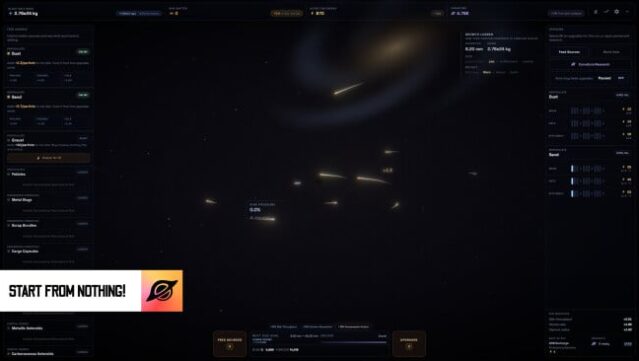
Imagine nurturing a tiny black hole and watching it spiral into a massive cosmic entity – that’s the core of this incremental game. Set in a quirky universe, players engage in a satisfying loop of feeding, upgrading, and managing the growth of their unstable black hole. As it expands, you unlock new methods to boost its mass while carefully balancing progression to avoid catastrophic collapses. The game combines casual humor with intriguing facts about black holes, making the experience both entertaining and educational. Compete on leaderboards to see who can create the largest black hole before it becomes too unstable. This title is perfect for fans of upgrade systems and those who enjoy watching chaos unfold in a lighthearted way.

Instructions
- Click the Download button below and you will be redirected to UploadHaven.
- Wait 5 seconds and click on the blue ‘download now’ button. We recommend using a download manager for faster download speeds. (You can use FDM which is free here, or any other download manager).
- Once the game is finished downloading, right click the .zip file and click on “Extract to How To Grow a Black Hole v1.0.3.zip” (To do this you will need 7-Zip, which you can get here, or you can use the built in windows extractor).
- Double click inside the How To Grow a Black Hole v1.0.3 folder and run the setup application. Accept the EULA, and install the game. Then, launch the game through the desktop shortcut.
How To Grow a Black Hole Free Download (v1.0.3)
How To Grow a Black Hole (v1.0.3)
Size: 288.51 MB
Reminder: This download is completely free and won't cost you a penny. However, If you love the game and want to purchase it, you can support the developers by doing so here.
System Requirements
- Requires a 64-bit processor and operating system
- OS: Windows 10 (64-bit)
- Processor: Dual-core CPU (e.g. Intel Core i3 / AMD equivalent)
- Memory: 4 GB RAM
- Graphics: DirectX 11–capable GPU with WebGL 2 support (most recent integrated GPUs qualify)
- DirectX: Version 11
- Storage: 500 MB available space
Screenshots