About where's my egg?
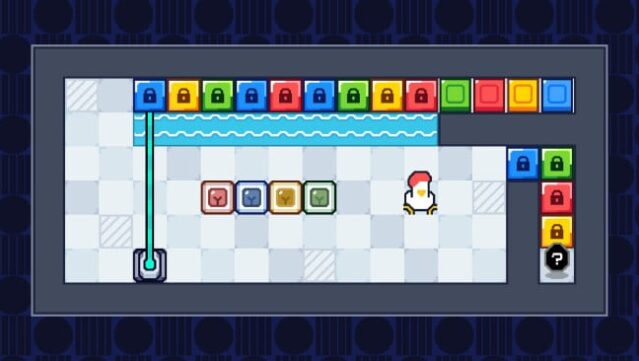
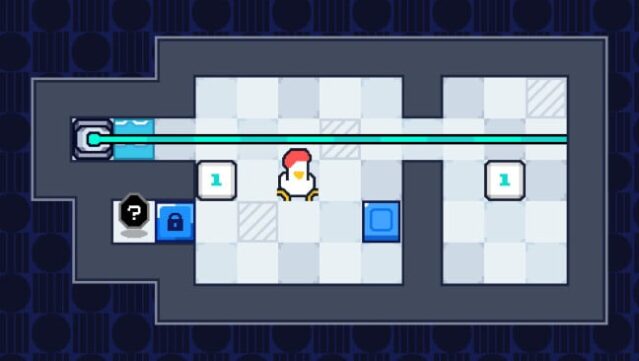
In this quirky puzzle adventure, a frantic chicken dad embarks on a mission to find 62 lost eggs, transforming each level into a compact brainteaser. Set in colorful, whimsical environments, players navigate through cleverly designed challenges without the distractions of combat or grinding. Each stage presents a self-contained puzzle that demands players to manipulate objects, activate lasers, and utilize portals to reach the precious eggs. Success hinges on trial and error, as players must rethink strategies and connect mechanics creatively to overcome obstacles. The game shines with its clarity of purpose, rewarding those who thrive on observation and logical thinking. Perfect for fans of clever puzzle-solving and minimalist logic games, it invites both seasoned players and newcomers to dive in at their own pace.

Instructions
- Click the Download button below and you will be redirected to UploadHaven.
- Wait 5 seconds and click on the blue ‘download now’ button. We recommend using a download manager for faster download speeds. (You can use FDM which is free here, or any other download manager).
- Once the game is finished downloading, right click the .zip file and click on “Extract to where's my egg? v2026.05.29.zip” (To do this you will need 7-Zip, which you can get here, or you can use the built in windows extractor).
- Double click inside the where's my egg? v2026.05.29 folder and run the setup application. Accept the EULA, and install the game. Then, launch the game through the desktop shortcut.
where’s my egg? Free Download (v2026.05.29)
where's my egg? (v2026.05.29)
Size: 86.46 MB
Reminder: This download is completely free and won't cost you a penny. However, If you love the game and want to purchase it, you can support the developers by doing so here.
System Requirements
- Requires a 64-bit processor and operating system
- OS: Windows 10
- Memory: 1 GB RAM
- Storage: 100 MB available space
Screenshots