About Zeppelin: Escape Room
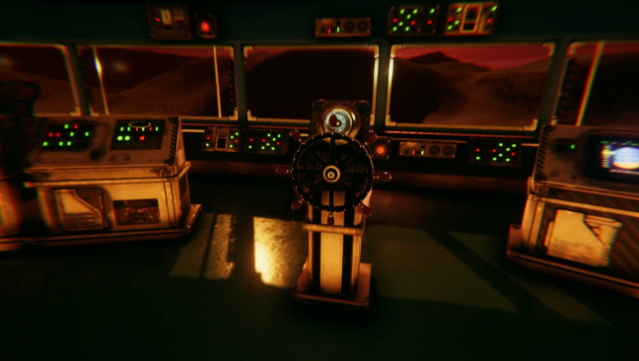
Imagine teaming up with friends to unravel mysteries on a dying planet. This online multiplayer escape room experience allows up to four players to work together or tackle challenges solo as they explore the secrets of Mars. The core gameplay revolves around solving intricate puzzles and uncovering clues that can be tucked away in the most surprising spots. What sets this game apart is its emphasis on critical thinking; players must discern fact from fiction to get closer to the truth. The atmosphere is packed with tension and urgency, pushing you to hurry and get that ship ready before time runs out. Perfect for fans of cooperative puzzle-solving games or anyone who enjoys a good mystery.
Instructions
- Click the Download button below and you will be redirected to UploadHaven.
- Wait 5 seconds and click on the blue ‘download now’ button. We recommend using a download manager for faster download speeds. (You can use FDM which is free here, or any other download manager).
- Once the game is finished downloading, right click the .zip file and click on “Extract to Zeppelin: Escape Room.zip” (To do this you will need 7-Zip, which you can get here, or you can use the built in windows extractor).
- Double click inside the Zeppelin: Escape Room folder and run the setup application. Accept the EULA, and install the game. Then, launch the game through the desktop shortcut.
Zeppelin: Escape Room Free Download
Zeppelin: Escape Room
Size: 722.28 MB
Reminder: This download is completely free and won't cost you a penny. However, If you love the game and want to purchase it, you can support the developers by doing so here.
System Requirements
- OS: Windows 7+ (64bit)
- Processor: Intel i3 / AMD FX series or equivalent
- Memory: 4 GB RAM
- Graphics: Nvidia 450 / AMD equivalent with 2GB+ of Video RAM
- DirectX: Version 11
- Network: Broadband Internet connection
- Storage: 3 GB available space
Screenshots