About Wulverblade
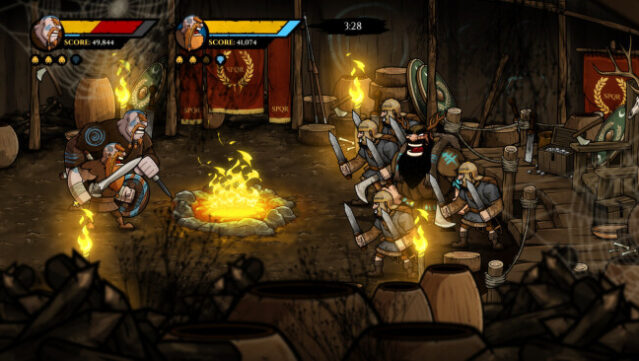
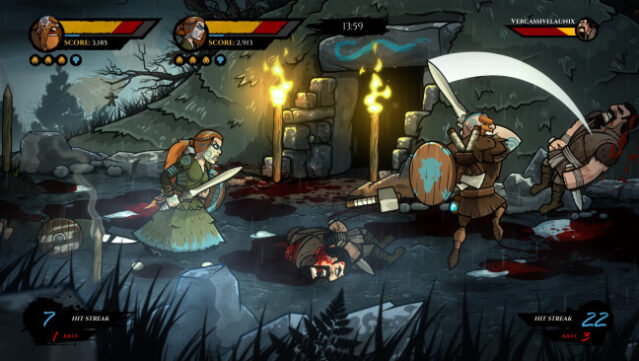
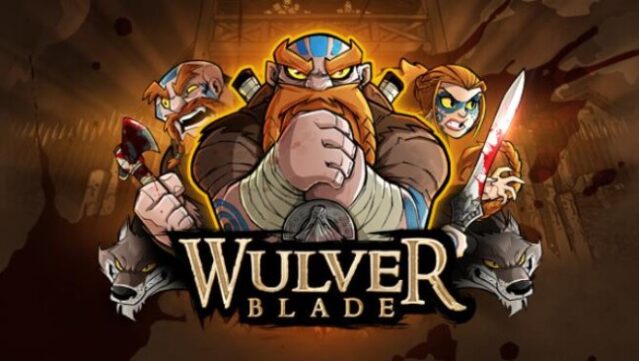
Immerse yourself in a vibrant, historical clash where Britannia stands against the Roman Empire in this intense side-scrolling beat 'em up. Set in 120 A.D., you take on the role of Caradoc, Brennus, and Guinevere, three guardians leading the charge against the Ninth Legion aiming to conquer the north. The core gameplay revolves around fast-paced combat as you navigate through eight meticulously crafted campaign levels or brave the challenging arenas. Notably, the game shines in its local co-op mode, allowing you to team up with a friend for even more chaotic fun. With its blend of engaging storytelling and classic arcade-style action, this game is perfect for fans of retro beat 'em ups and those who enjoy historical narratives.
Instructions
- Click the Download button below and you will be redirected to UploadHaven.
- Wait 5 seconds and click on the blue ‘download now’ button. We recommend using a download manager for faster download speeds. (You can use FDM which is free here, or any other download manager).
- Once the game is finished downloading, right click the .zip file and click on “Extract to Wulverblade.zip” (To do this you will need 7-Zip, which you can get here, or you can use the built in windows extractor).
- Double click inside the Wulverblade folder and run the setup application. Accept the EULA, and install the game. Then, launch the game through the desktop shortcut.
Wulverblade Free Download
Reminder: This download is completely free and won't cost you a penny. However, If you love the game and want to purchase it, you can support the developers by doing so here.
System Requirements
- OS: Windows 7 SP1, Windows 8, Windows 10
- Processor: AMD Athlon 64 X2 5600 or Intel Core 2 Duo+
- Memory: 4 GB RAM
- Graphics: NVIDIA® GeForce® GTX 680 or ATI Radeon™ R9 280 or better
- DirectX: Version 9.0c
- Storage: 8 GB available space
- Sound Card: 100% DirectX9.0c compatible sound card and drivers
Screenshots