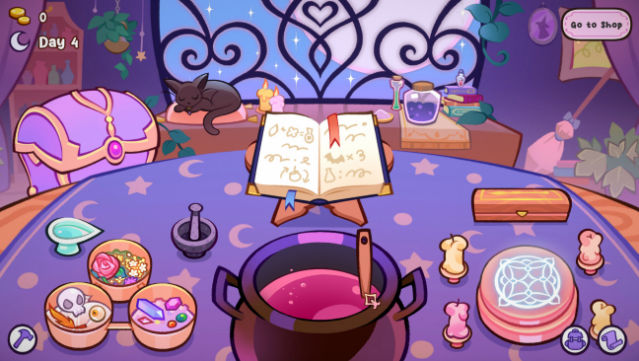
About Witchy Business
Immerse yourself in a whimsical world where potion-making and shop management collide in a delightfully cozy setting. This enchanting simulator casts you as the proprietor of a witch shop, where you explore unique locales and craft potions from a variety of ingredients. The gameplay revolves around balancing your time between brewing magic concoctions and tending to your sanctuary, where you can gather herbs, discover hidden treasures, and even engage in calming meditation to boost your skills. Standout features include mini-games for perfecting potions, crafting powerful wands, and unlocking new recipes through quirky quests. This game is perfect for fans of charming management sims and magical adventures alike.

Instructions
- Click the Download button below and you will be redirected to UploadHaven.
- Wait 5 seconds and click on the blue ‘download now’ button. We recommend using a download manager for faster download speeds. (You can use FDM which is free here, or any other download manager).
- Once the game is finished downloading, right click the .zip file and click on “Extract to Witchy Business v1.2.3.zip” (To do this you will need 7-Zip, which you can get here, or you can use the built in windows extractor).
- Double click inside the Witchy Business v1.2.3 folder and run the setup application. Accept the EULA, and install the game. Then, launch the game through the desktop shortcut.
Witchy Business Free Download (v1.2.3)
Witchy Business (v1.2.3)
Size: 492.27 MB
Reminder: This download is completely free and won't cost you a penny. However, If you love the game and want to purchase it, you can support the developers by doing so here.
System Requirements
- Requires a 64-bit processor and operating system
- OS *: Windows 7 or layer
- Processor: Intel Pentium CPU G860
- Memory: 1 GB RAM
- Graphics: NVIDIA GeForce 840M
- Storage: 1 GB available space
- Additional Notes: 64 Bit Only
Screenshots