About Waste Walkers
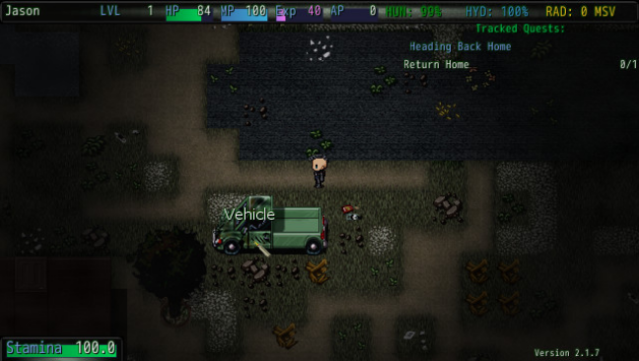
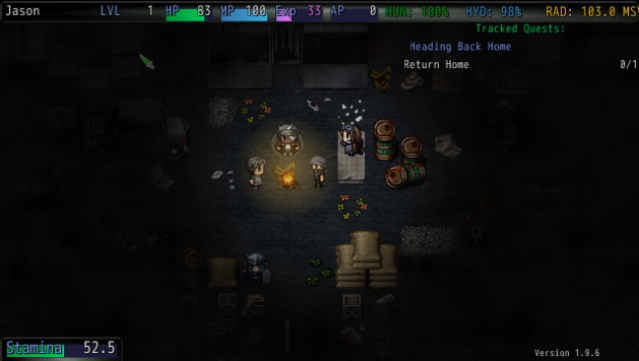
Step into a grim future where society has crumbled, and survival is the name of the game. This survival RPG thrusts you into a desolate world ravaged by war, economic collapse, and monstrous creatures that roam the land. Players scavenge for resources and craft their own path through a richly detailed open world, complete with a sprawling city and extensive metro system to explore.
Character creation is deep and customizable, offering hundreds of choices for gear and skills, while a dynamic plot keeps you engaged with every decision you make. The semi-randomized gameplay elements ensure that no two playthroughs are quite the same. This game is perfect for fans of survival and exploration in a post-apocalyptic setting who enjoy crafting their own narrative in the ruins of humanity.

Instructions
- Click the Download button below and you will be redirected to UploadHaven.
- Wait 5 seconds and click on the blue ‘download now’ button. We recommend using a download manager for faster download speeds. (You can use FDM which is free here, or any other download manager).
- Once the game is finished downloading, right click the .zip file and click on “Extract to Waste Walkers v2.2.2 & ALL DLC.zip” (To do this you will need 7-Zip, which you can get here, or you can use the built in windows extractor).
- Double click inside the Waste Walkers v2.2.2 & ALL DLC folder and run the setup application. Accept the EULA, and install the game. Then, launch the game through the desktop shortcut.
Waste Walkers Free Download (v2.2.2 & ALL DLC)
Waste Walkers (v2.2.2 & ALL DLC)
Size: 3.65 GB
Reminder: This download is completely free and won't cost you a penny. However, If you love the game and want to purchase it, you can support the developers by doing so here.
System Requirements
- OS: Microsoft Windows (32-bit/64-bit)
- Processor: Intel Dual-Core 2.4 GHz
- Memory: 512 MB RAM
- Graphics: DirectX 9.0 Compatible
- DirectX: Version 9.0
- Storage: 2 GB available space
- Sound Card: DirectSound Compatible
- Additional Notes: *STEAM CONTROLLERS WORK BY DEFAULT – Enable additional gamepad/controller support by opening the gamepad.txt file in the install directory and setting the gamepad value to “1”.*
Screenshots