About Wallpaper Engine
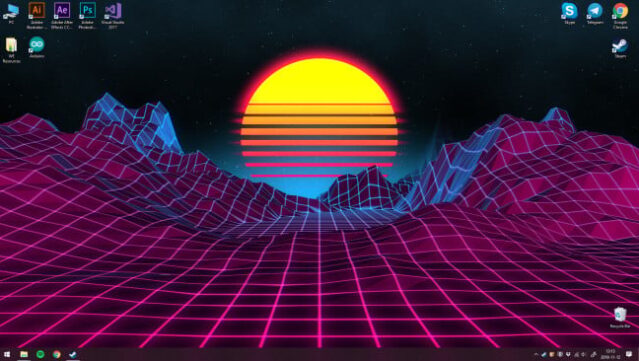
Imagine transforming your desktop into a dynamic canvas with stunning live wallpapers that breathe life into your screen. This unique application allows you to effortlessly apply animated wallpapers to your Windows desktop, ranging from beautiful 3D and 2D designs to videos and even interactive applications. The core gameplay loop revolves around customization, enabling you to create and share your own animated wallpapers with friends. Notably, interactive wallpapers respond to mouse movements, adding a playful dimension to your desktop experience. Plus, it automatically pauses wallpapers during gaming sessions to optimize performance. This is a must-try for anyone who loves personalizing their digital space and wants to enhance their desktop aesthetic. Perfect for fans of customization tools and visual creativity.
Instructions
- Click the Download button below and you will be redirected to UploadHaven.
- Wait 5 seconds and click on the blue ‘download now’ button. We recommend using a download manager for faster download speeds. (You can use FDM which is free here, or any other download manager).
- Once the game is finished downloading, right click the .zip file and click on “Extract to Wallpaper Engine v2.8.42.zip” (To do this you will need 7-Zip, which you can get here, or you can use the built in windows extractor).
- Double click inside the Wallpaper Engine v2.8.42 folder and run the setup application. Accept the EULA, and install the game. Then, launch the game through the desktop shortcut.
Wallpaper Engine Free Download (v2.8.42)
Wallpaper Engine (v2.8.42)
Size: 734.42 MB
Reminder: This download is completely free and won't cost you a penny. However, If you love the game and want to purchase it, you can support the developers by doing so here.
System Requirements
- OS: Windows 7 (with Aero), 8.1, 10
- Processor: 1.66 GHz Intel i5 or equivalent
- Memory: 1024 MB RAM
- Graphics: HD Graphics 4000 or above
- DirectX: Version 10
- Storage: 3.86 GB available space
- Additional Notes: Windows N versions require the ‘Media Feature Pack’ from Microsoft. Aero must be enabled on Windows 7. High contrast mode is not supported. Max video res. Windows 8, 10: 4K, Windows 7: 1080p
Screenshots