About VLADiK BRUTAL
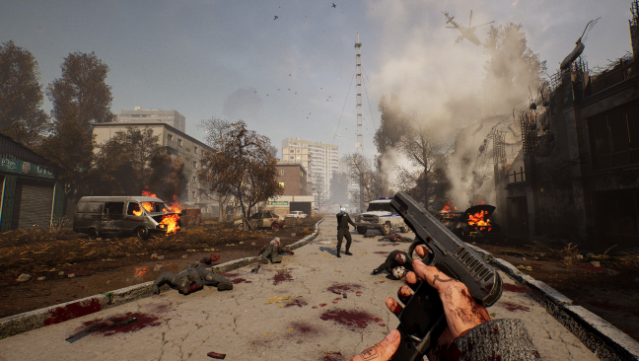
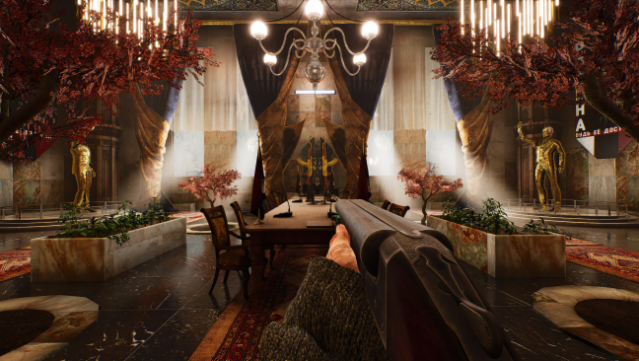
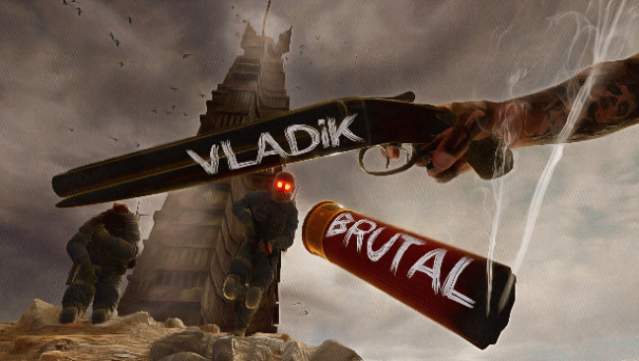
Dive into a gritty world where a tyrannical dictator reigns supreme, and survival depends on wits and firepower. This action-packed shooter immerses you in a fictional Eastern European country where oppressive control and paranoia shape everyday life. As you navigate through managed locations filled with secrets and easter eggs, you utilize a diverse arsenal of 12 unique weapons to confront a wide array of foes and allies alike.
The game features a brutal damage system that emphasizes the stakes of combat, while cleverly designed puzzles challenge you to think critically as you progress. With its original plot and intense gameplay, it's a thrilling experience for anyone who enjoys a blend of action and strategy. Perfect for fans of indie shooters and those looking for a fresh take on the genre.
Instructions
- Click the Download button below and you will be redirected to UploadHaven.
- Wait 5 seconds and click on the blue ‘download now’ button. We recommend using a download manager for faster download speeds. (You can use FDM which is free here, or any other download manager).
- Once the game is finished downloading, right click the .zip file and click on “Extract to VLADiK BRUTAL v1.0.2.3.zip” (To do this you will need 7-Zip, which you can get here, or you can use the built in windows extractor).
- Double click inside the VLADiK BRUTAL v1.0.2.3 folder and run the setup application. Accept the EULA, and install the game. Then, launch the game through the desktop shortcut.
VLADiK BRUTAL Free Download (v1.0.2.3)
VLADiK BRUTAL (v1.0.2.3)
Size: 13.33 GB
Reminder: This download is completely free and won't cost you a penny. However, If you love the game and want to purchase it, you can support the developers by doing so here.
System Requirements
- OS *: Windows 7/8/10/11
- Processor: Quad-Core Intel or AMD, 1.5 GHz or faster
- Memory: 4 GB RAM
- Graphics: NVIDIA GeForce MX150
- DirectX: Version 11
- Storage: 14 GB available space
- Sound Card: DirectX Compatible Sound Card with latest drivers
- Additional Notes: It is advisable to use ssd
Screenshots