About Virtual Skate
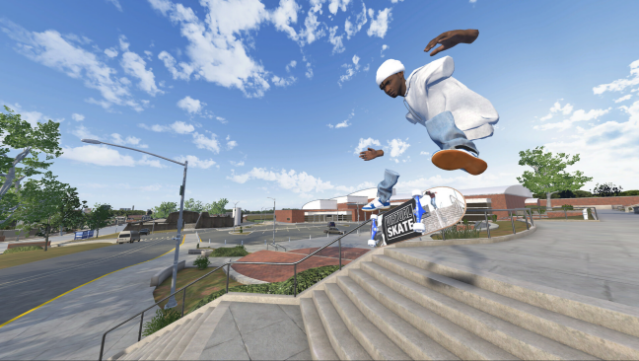
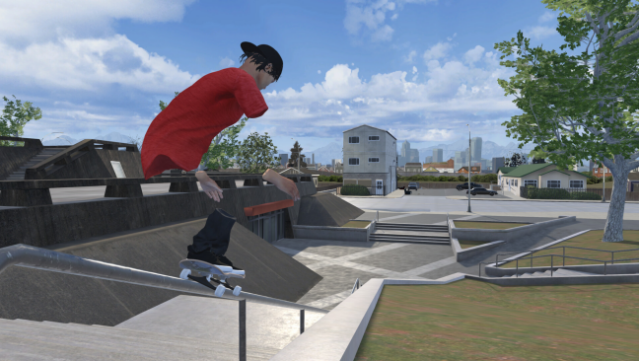
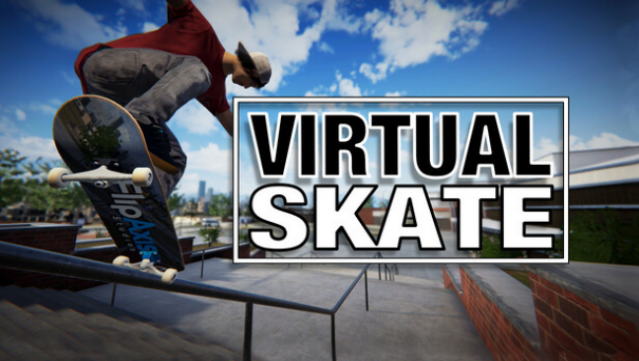
Experience skateboarding like never before with a unique control scheme that makes you feel as if you’re truly on the board. This game combines the thrill of skateboarding with innovative mechanics that let you directly control each foot with your hands. Set in a vibrant, customizable world, you can skate solo or team up with friends to conquer obstacle courses, film your stunts, and express your style. The immersive replay system allows you to capture and edit your tricks with complete freedom, giving you the chance to create dynamic clips that feel professional. With voice chat and expressive animations, you can hang out and skate with friends or meet new players online. This game is perfect for both seasoned skaters and newcomers looking to dive into a fresh skateboarding experience.
Instructions
- Click the Download button below and you will be redirected to UploadHaven.
- Wait 5 seconds and click on the blue ‘download now’ button. We recommend using a download manager for faster download speeds. (You can use FDM which is free here, or any other download manager).
- Once the game is finished downloading, right click the .zip file and click on “Extract to Virtual Skate.zip” (To do this you will need 7-Zip, which you can get here, or you can use the built in windows extractor).
- Double click inside the Virtual Skate folder and run the setup application. Accept the EULA, and install the game. Then, launch the game through the desktop shortcut.
Virtual Skate Free Download
Reminder: This download is completely free and won't cost you a penny. However, If you love the game and want to purchase it, you can support the developers by doing so here.
System Requirements
- Requires a 64-bit processor and operating system
- OS: Windows 10/11 (64-bit)
- Processor: Intel Core i5-8600 / AMD Ryzen 5 2600
- Memory: 8 GB RAM
- Graphics: NVIDIA GTX 1660 Ti / AMD RX 590
- DirectX: Version 11
- Network: Broadband Internet connection
- Storage: 2 GB available space
- VR Support: OpenXR-compatible headset
- Additional Notes: Tested headsets: Index, Rift S, Quest 2, Quest 3, Quest 3s
Screenshots