About Virtual Desktop
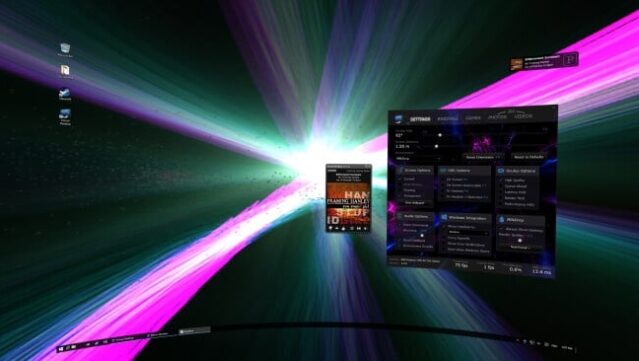
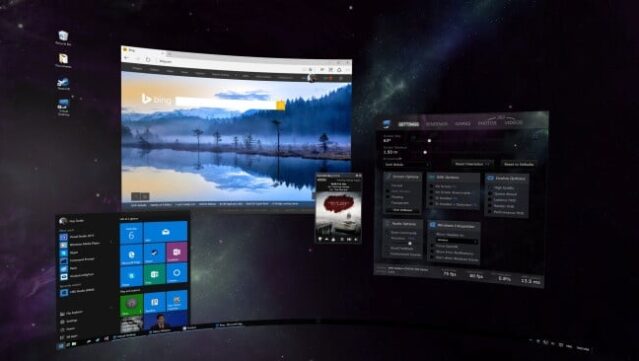
Immerse yourself in a virtual workspace where your computer screen expands into a vast digital environment. This unique VR application seamlessly integrates with headsets like Oculus Rift, HTC Vive, and Valve Index, turning mundane tasks into an engaging experience. Users can browse the web, stream Netflix, or even play games on a massive virtual display, making every moment in VR feel expansive.
Notable features include hardware-accelerated 360 video playback, support for YouTube's 360 content, and even a game launcher that responds to voice commands. Plus, you can dive into immersive 3D side-by-side videos and enjoy stunning visuals through MilkDrop music visualization. This app is perfect for anyone looking to elevate their everyday computer use into a captivating virtual adventure. If you’re a fan of VR experiences that blend productivity and entertainment, this one’s definitely worth checking out.
Instructions
- Click the Download button below and you will be redirected to UploadHaven.
- Wait 5 seconds and click on the blue ‘download now’ button. We recommend using a download manager for faster download speeds. (You can use FDM which is free here, or any other download manager).
- Once the game is finished downloading, right click the .zip file and click on “Extract to Virtual Desktop v1.17.zip” (To do this you will need 7-Zip, which you can get here, or you can use the built in windows extractor).
- Double click inside the Virtual Desktop v1.17 folder and run the setup application. Accept the EULA, and install the game. Then, launch the game through the desktop shortcut.
Virtual Desktop Free Download (v1.17)
Virtual Desktop (v1.17)
Size: 522.52 MB
Reminder: This download is completely free and won't cost you a penny. However, If you love the game and want to purchase it, you can support the developers by doing so here.
System Requirements
- OS: Windows 7 SP1, Windows 8.1 or Windows 10
- Processor: i5-2500k
- Memory: 4 GB RAM
- Graphics: NVidia GTX 640 or 980M or ATI HD 7000/Rx 200
- DirectX: Version 11
- Storage: 700 MB available space
- Additional Notes: If you are using a Windows ‘N’ edition, you will need to install the Media Feature Pack.
Screenshots