About Virtual Cottage 2
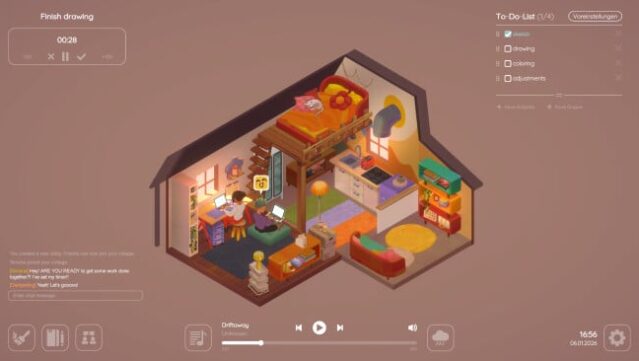
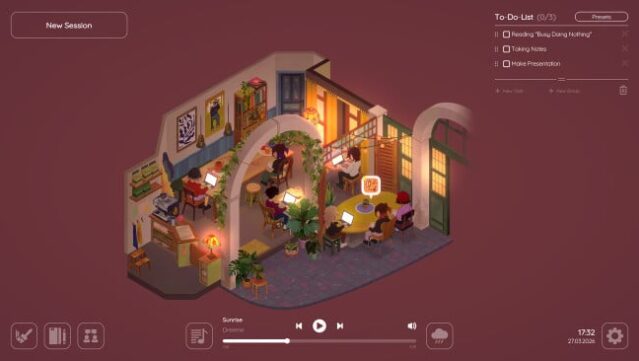
Imagine a serene digital retreat where you can escape distractions and focus on your tasks. This tranquil experience combines productivity with a cozy environment, making it the perfect setting for getting things done. You engage with various focus tools, including customizable timers and a detailed To-Do List that helps manage your tasks efficiently.
The game also allows you to express your creativity through extensive cottage customization, offering a plethora of furniture and decor options that unlock as you progress. You can choose from different layouts, including a new apartment style, and even add pets to enhance your cozy space. What sets this game apart is its online multiplayer feature, enabling you to study alongside friends and share your personalized spaces. With adjustable ambient sounds and music integration, you can tailor your atmosphere for ultimate concentration. If you enjoy immersive productivity tools, this game is definitely for you.

Instructions
- Click the Download button below and you will be redirected to UploadHaven.
- Wait 5 seconds and click on the blue ‘download now’ button. We recommend using a download manager for faster download speeds. (You can use FDM which is free here, or any other download manager).
- Once the game is finished downloading, right click the .zip file and click on “Extract to Virtual Cottage 2 v1.2.0.zip” (To do this you will need 7-Zip, which you can get here, or you can use the built in windows extractor).
- Double click inside the Virtual Cottage 2 v1.2.0 folder and run the setup application. Accept the EULA, and install the game. Then, launch the game through the desktop shortcut.
Virtual Cottage 2 Free Download (v1.2.0)
Virtual Cottage 2 (v1.2.0)
Size: 1.30 GB
Reminder: This download is completely free and won't cost you a penny. However, If you love the game and want to purchase it, you can support the developers by doing so here.
System Requirements
- Requires a 64-bit processor and operating system
- OS *: Windows 7 (or Higher)
- Processor: Dual-core from Intel or AMD at 2.0 GHz
- Memory: 2 GB RAM
- Graphics: Videocard with at least 512MB
- Storage: 500 MB available space
Screenshots