About UpGun
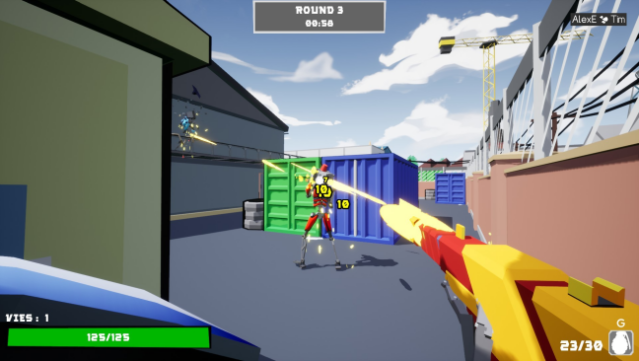
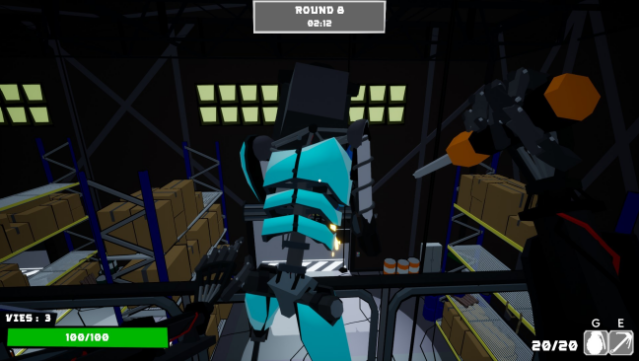
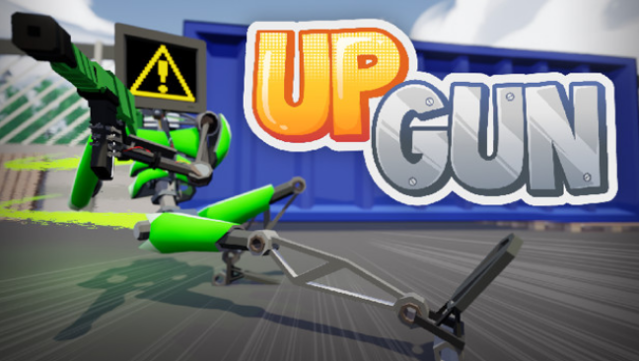
This fast-paced multiplayer shooter stands out with its unique approach to skill upgrades, creating a constantly evolving battlefield of strategies and surprises. Players engage in rounds where they select one upgrade from a pool of over 50 options, allowing them to tailor their abilities on the fly. The gameplay revolves around countering opponents' choices, whether it’s enhancing health, unleashing explosive bullets, or spawning grenades.
With diverse maps encouraging different strategies and synergies, each match feels fresh and dynamic. Plus, the game boasts a wide selection of over a hundred cosmetics, letting you customize your robot to reflect your style. This is a must-try for fans of competitive shooters who enjoy strategic depth and chaotic fun.
Instructions
- Click the Download button below and you will be redirected to UploadHaven.
- Wait 5 seconds and click on the blue ‘download now’ button. We recommend using a download manager for faster download speeds. (You can use FDM which is free here, or any other download manager).
- Once the game is finished downloading, right click the .zip file and click on “Extract to UpGun v1.1.5 & Multiplayer.zip” (To do this you will need 7-Zip, which you can get here, or you can use the built in windows extractor).
- Double click inside the UpGun v1.1.5 & Multiplayer folder and run the setup application. Accept the EULA, and install the game. Then, launch the game through the desktop shortcut.
UpGun Free Download (v1.1.5 & Multiplayer)
UpGun (v1.1.5 & Multiplayer)
Size: 194.62 MB
Reminder: This download is completely free and won't cost you a penny. However, If you love the game and want to purchase it, you can support the developers by doing so here.
System Requirements
- OS: Windows 7
- Processor: IntelCore i3 gen 5
- Memory: 2 GB RAM
- Graphics: Nvidia 670
- DirectX: Version 11
- Storage: 400 MB available space
Screenshots