About Uninstall Simulator
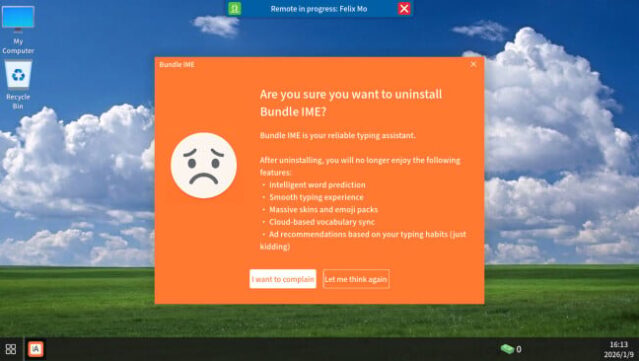
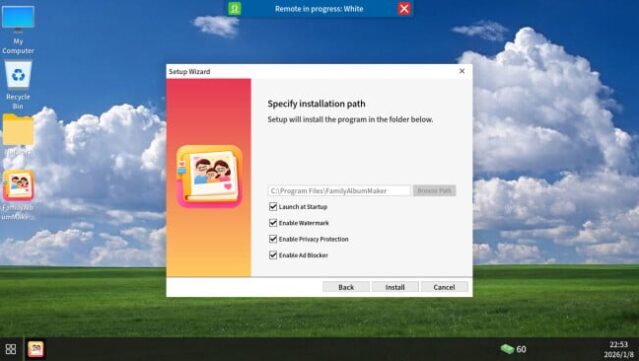
Dive into a quirky world where your skills as a virtual troubleshooter are put to the test in a puzzle-strategy format. Set against the backdrop of chaotic digital landscapes, you take on the role of a remote computer specialist, tasked with solving bizarre tech dilemmas for an eclectic mix of clients. Each mission arrives via the TaskMail system, presenting challenges ranging from minor glitches to high-stakes ransomware threats.
The gameplay thrives on its clever use of dynamic UI elements that can confuse even the savviest player—what seems like a simple "X" to close a window might just lead to a pop-up ad. You’ll employ advanced tools like the Task Manager and Registry Editor to tackle these issues, weighing the risks of every action you take. If things get too tricky, you can always opt to hire expert help at a premium.
This game is perfect for those who enjoy clever problem-solving and a fresh twist on familiar computer issues.
Instructions
- Click the Download button below and you will be redirected to UploadHaven.
- Wait 5 seconds and click on the blue ‘download now’ button. We recommend using a download manager for faster download speeds. (You can use FDM which is free here, or any other download manager).
- Once the game is finished downloading, right click the .zip file and click on “Extract to Uninstall Simulator.zip” (To do this you will need 7-Zip, which you can get here, or you can use the built in windows extractor).
- Double click inside the Uninstall Simulator folder and run the setup application. Accept the EULA, and install the game. Then, launch the game through the desktop shortcut.
Uninstall Simulator Free Download
Uninstall Simulator
Size: 406.22 MB
Reminder: This download is completely free and won't cost you a penny. However, If you love the game and want to purchase it, you can support the developers by doing so here.
System Requirements
- OS: Windows 10
- Processor: Intel Core i3 or equivalent
- Memory: 4 GB RAM
- Graphics: Intel HD Graphics or equivalent
- DirectX: Version 11
- Storage: 450 MB available space
- Sound Card: Any
Screenshots