About Turn on the Light
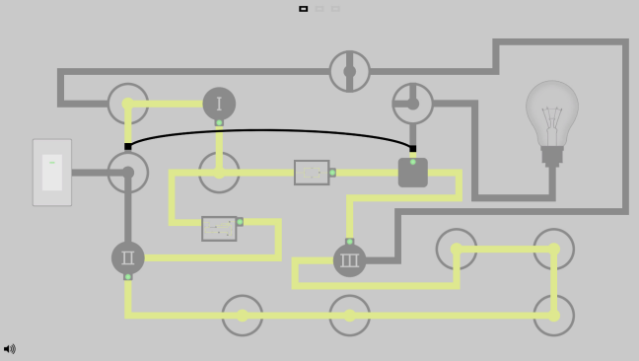
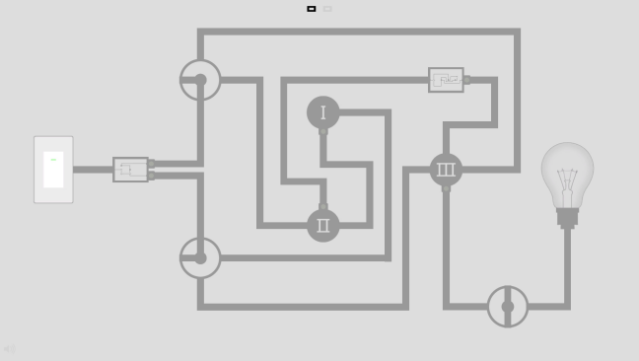
This minimalist puzzle game invites players to engage their brains while enjoying a serene atmosphere. Set in a stylishly simple environment, the core gameplay revolves around solving intricate puzzles by connecting circuits to illuminate various sections. Each level challenges you to explore tiny components, requiring clever thinking and strategy to progress. The soothing soundtrack enhances the experience, creating a calming backdrop as you work through each problem. It's an ideal choice for fans of brain teasers and those who appreciate a tranquil gaming experience. If you enjoy puzzle games that emphasize elegance and challenge, this one is definitely worth checking out.
Instructions
- Click the Download button below and you will be redirected to UploadHaven.
- Wait 5 seconds and click on the blue ‘download now’ button. We recommend using a download manager for faster download speeds. (You can use FDM which is free here, or any other download manager).
- Once the game is finished downloading, right click the .zip file and click on “Extract to Turn on the Light.zip” (To do this you will need 7-Zip, which you can get here, or you can use the built in windows extractor).
- Double click inside the Turn on the Light folder and run the setup application. Accept the EULA, and install the game. Then, launch the game through the desktop shortcut.
Turn on the Light Free Download
Turn on the Light
Size: 72.82 MB
Reminder: This download is completely free and won't cost you a penny. However, If you love the game and want to purchase it, you can support the developers by doing so here.
System Requirements
- OS: Windows 7
- Processor: 2 Ghz Dual Core
- Memory: 2 GB RAM
- Graphics: Graphics card supporting DirectX 11
- DirectX: Version 11
- Storage: 110 MB available space
- Sound Card: Any
Screenshots