About True Abstraction: Rewind
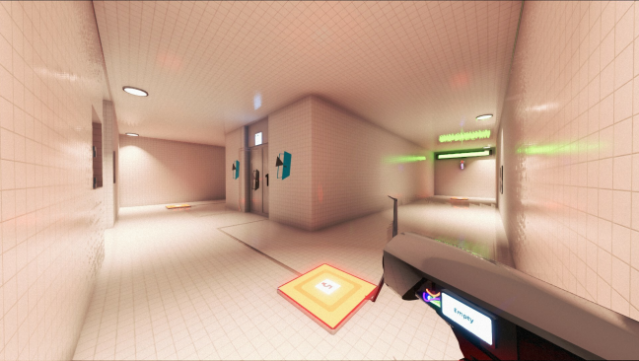
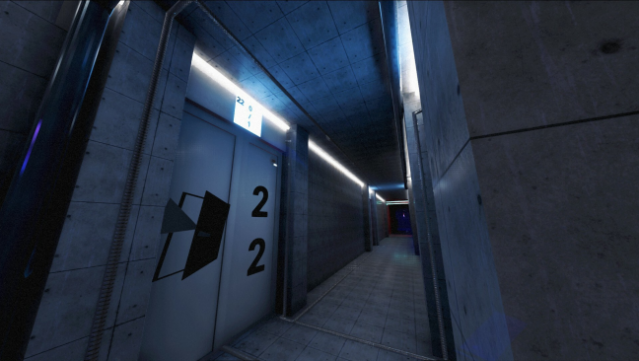
Imagine being alone on the moon, surrounded by hostile threats and dealing with a betrayal from your closest ally. This single-player experience plunges you into a gripping narrative where survival and cunning are your only allies. Set within a mysterious lunar facility, you tackle a series of physics-based puzzles that challenge your problem-solving skills across 75 diverse levels.
Utilizing experimental technology, you must navigate the treacherous environment while relying on your microphone to interact with the game in unique ways. With a story that keeps you on the edge of your seat, this game offers a captivating blend of tension and intellectual challenge. Perfect for fans of puzzle games and immersive sci-fi narratives, it delivers a compelling adventure that tests both your wits and reflexes.
Instructions
- Click the Download button below and you will be redirected to UploadHaven.
- Wait 5 seconds and click on the blue ‘download now’ button. We recommend using a download manager for faster download speeds. (You can use FDM which is free here, or any other download manager).
- Once the game is finished downloading, right click the .zip file and click on “Extract to True Abstraction: Rewind v1.1.0.0.zip” (To do this you will need 7-Zip, which you can get here, or you can use the built in windows extractor).
- Double click inside the True Abstraction: Rewind v1.1.0.0 folder and run the setup application. Accept the EULA, and install the game. Then, launch the game through the desktop shortcut.
True Abstraction: Rewind Free Download (v1.1.0.0)
True Abstraction: Rewind (v1.1.0.0)
Size: 2.67 GB
Reminder: This download is completely free and won't cost you a penny. However, If you love the game and want to purchase it, you can support the developers by doing so here.
System Requirements
- Requires a 64-bit processor and operating system
- OS *: Windows 7
- Processor: Intel core i5 3570
- Memory: 8 GB RAM
- Graphics: NVidia GeForce GTX 750 Ti
- Storage: 12 GB available space
- Additional Notes: Low-Medium 720p 30-60FPS | It is recommended to install on a SSD but HDD should still work.
Screenshots