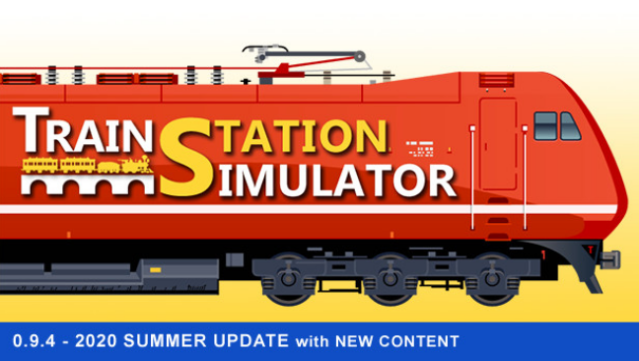
About Train Station Simulator
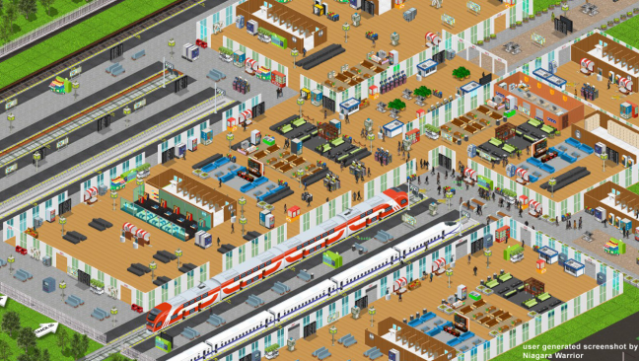
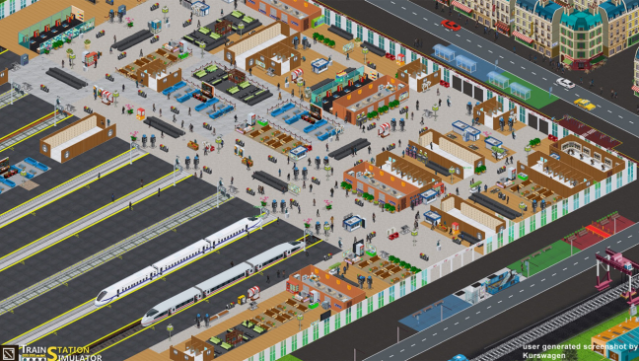
Dive into the fascinating world of train station management where your creativity shapes the travel experience. This simulation game lets you build and manage an intricate train station, allowing you to design everything from flooring to emergency routes. The core gameplay revolves around expanding your station by adding advanced facilities and upgrading tracks with cutting-edge technologies, including magnetic trains.
One standout feature is the emphasis on aesthetics, as you can enhance passenger comfort with thoughtful designs like greenery, open spaces, and seating areas. You'll also need to strategize your layout to ensure smooth operations and a pleasant environment for travelers.
Perfect for those who enjoy city-building games and love the challenge of optimizing transport systems, this title offers a unique blend of creativity and management.
Instructions
- Click the Download button below and you will be redirected to UploadHaven.
- Wait 5 seconds and click on the blue ‘download now’ button. We recommend using a download manager for faster download speeds. (You can use FDM which is free here, or any other download manager).
- Once the game is finished downloading, right click the .zip file and click on “Extract to Train Station Simulator v0.8.0.0.zip” (To do this you will need 7-Zip, which you can get here, or you can use the built in windows extractor).
- Double click inside the Train Station Simulator v0.8.0.0 folder and run the setup application. Accept the EULA, and install the game. Then, launch the game through the desktop shortcut.
Train Station Simulator Free Download (v0.8.0.0)
Train Station Simulator (v0.8.0.0)
Size: 133.49 MB
Reminder: This download is completely free and won't cost you a penny. However, If you love the game and want to purchase it, you can support the developers by doing so here.
System Requirements
- OS: Windows Vista / 7 SP1 (XP not supported anymore)
- Processor: Intel Core 2 Duo 2.4 GHz | AMD: 3 GHz
- Memory: 4 GB RAM
- Graphics: Any 1 GB RAM
- DirectX: Version 11
- Storage: 150 MB available space
- Additional Notes: Windows 8 and Windows 8.1 might not fully supported. 16:9, 16:10, 21:9, 16:3 supported (Tested: 1600×900, 1600×1200, 1680×1050, 1920×1080, 1920×1200, 1920×1440, 2048×1536, 2560×1080, 2560×1440, 2560×1600, 3440×1440, 5760×1080)
Screenshots