About The Vagrant
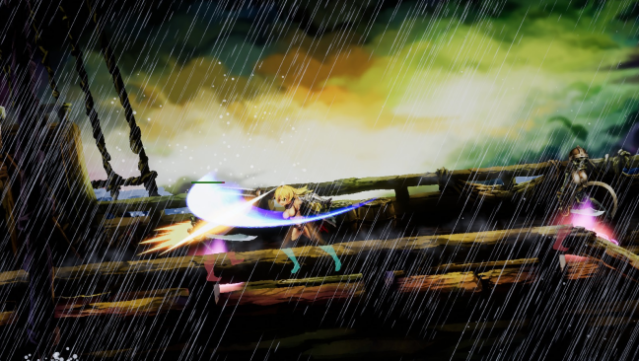
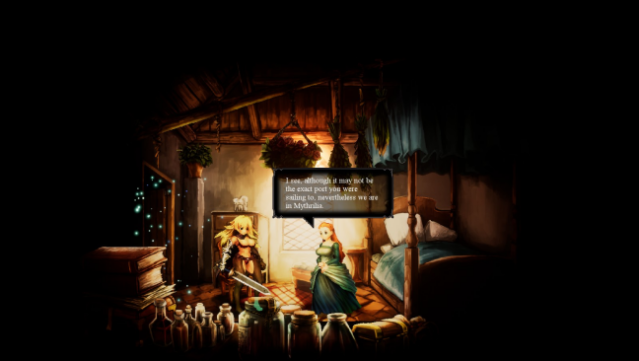
Dive into a stunning hand-painted fantasy realm brimming with secrets and lore. In this 2D action RPG, you step into the shoes of Vivian the Vagrant, a relentless sellsword on a quest to uncover her family's hidden past. Traverse diverse environments, from tranquil coastal villages to eerie forests and crumbling castles, all while battling a relentless wave of foes. The gameplay revolves around fluid combat mechanics, allowing you to unleash devastating combo chains, charge attacks, and unique skills. As you progress, you can enhance Vivian’s abilities and gear to tailor your fighting style. This game strikes a balance between casual play and deep mastery, making it engaging for a wide range of players. Perfect for fans of action-packed RPGs and those who love a rich narrative.

Instructions
- Click the Download button below and you will be redirected to UploadHaven.
- Wait 5 seconds and click on the blue ‘download now’ button. We recommend using a download manager for faster download speeds. (You can use FDM which is free here, or any other download manager).
- Once the game is finished downloading, right click the .zip file and click on “Extract to The Vagrant v1.466.191119.zip” (To do this you will need 7-Zip, which you can get here, or you can use the built in windows extractor).
- Double click inside the The Vagrant v1.466.191119 folder and run the setup application. Accept the EULA, and install the game. Then, launch the game through the desktop shortcut.
The Vagrant Free Download (v1.466.191119)
The Vagrant (v1.466.191119)
Size: 0.96 GB
Reminder: This download is completely free and won't cost you a penny. However, If you love the game and want to purchase it, you can support the developers by doing so here.
System Requirements
- Requires a 64-bit processor and operating system
- OS: Windows 7 or above (64-bit Operating System Required)
- Processor: 2.0 GHz or better
- Memory: 4 GB RAM
- Graphics: Intel HD 520;1G or higher
- DirectX: Version 11
- Storage: 1200 MB available space
- Additional Notes:
Screenshots