About The Siege Of Brimir
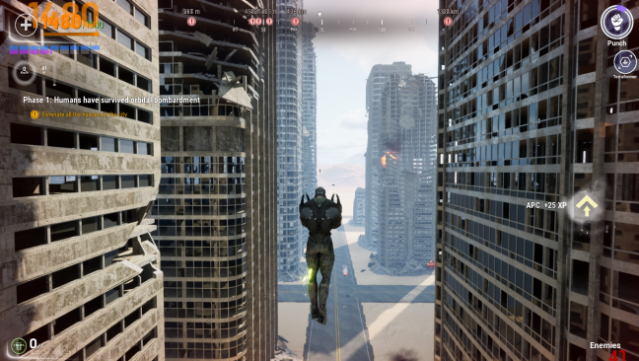
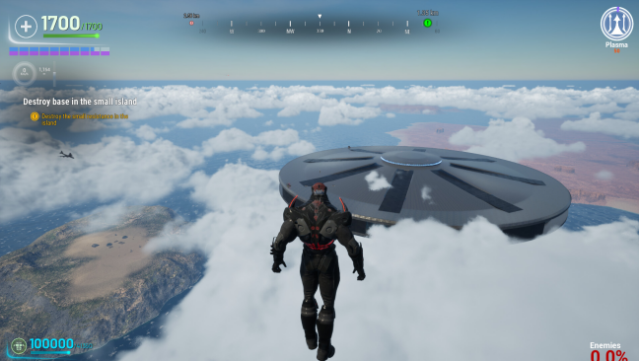
Step into the shoes of an alien conqueror in this unique twist on the action genre, where you unleash devastation upon humanity. Set in the advanced nation of Brimir, you wield superpowers with the goal of asserting dominance over Earth. The gameplay revolves around exploring a destructible environment while employing various skills to obliterate buildings and defeat human forces.
As you engage in epic battles, from naval confrontations to aerial skirmishes, you gather experience to enhance your abilities and become an unstoppable force. The challenge lies in overcoming seemingly weak enemies that can overwhelm you in numbers. This game is perfect for those who enjoy playing the villain and want to experience the thrill of total destruction.
Instructions
- Click the Download button below and you will be redirected to UploadHaven.
- Wait 5 seconds and click on the blue ‘download now’ button. We recommend using a download manager for faster download speeds. (You can use FDM which is free here, or any other download manager).
- Once the game is finished downloading, right click the .zip file and click on “Extract to The Siege Of Brimir.zip” (To do this you will need 7-Zip, which you can get here, or you can use the built in windows extractor).
- Double click inside the The Siege Of Brimir folder and run the setup application. Accept the EULA, and install the game. Then, launch the game through the desktop shortcut.
The Siege Of Brimir Free Download
The Siege Of Brimir
Size: 20.48 GB
Reminder: This download is completely free and won't cost you a penny. However, If you love the game and want to purchase it, you can support the developers by doing so here.
System Requirements
- Requires a 64-bit processor and operating system
- OS: Windows 10
- Processor: AMD Ryzen 5 2600X or equivalent
- Memory: 16 GB RAM
- Graphics: Radeon RX 6400 4GB or Nvidia GTX 1650 4GB with medium/low settings
- DirectX: Version 12
- Storage: 23 GB available space
Screenshots