About The Lost Condor - Walking Simulator
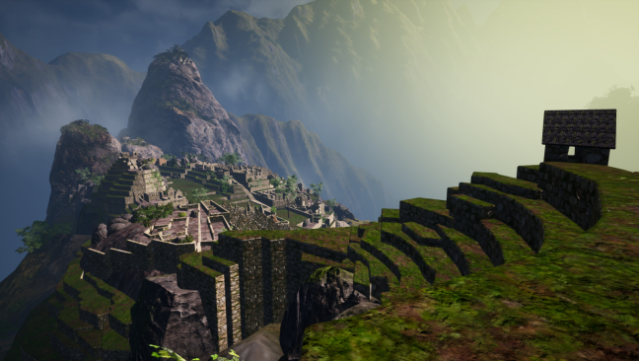
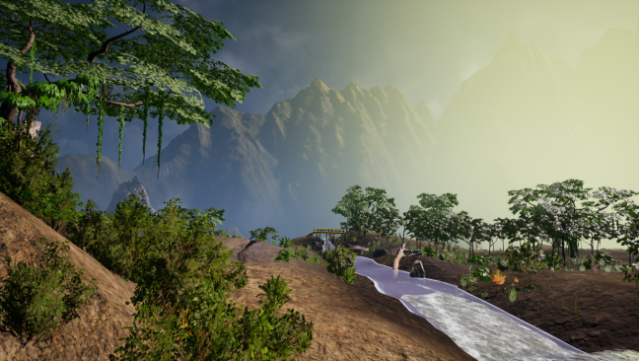
Immerse yourself in the breathtaking landscapes of Machu Picchu in this unique walking simulator. Set in the ancient city of Peru, you wander through stylized low-poly environments that evoke the charm of late '90s action-adventure games. The gameplay centers around exploration rather than objectives or storytelling, allowing you to soak in the ambient sounds of nature, stroll beneath cascading waterfalls, and discover atmospheric ruins at your own pace. With a focus on the artistic interpretation rather than a precise recreation of the site, it invites players to experience a serene journey through a beautiful, nostalgic world. Ideal for fans of exploration and relaxation, this game offers a tranquil escape for those looking to unwind.

Instructions
- Click the Download button below and you will be redirected to UploadHaven.
- Wait 5 seconds and click on the blue ‘download now’ button. We recommend using a download manager for faster download speeds. (You can use FDM which is free here, or any other download manager).
- Once the game is finished downloading, right click the .zip file and click on “Extract to The Lost Condor - Walking Simulator.zip” (To do this you will need 7-Zip, which you can get here, or you can use the built in windows extractor).
- Double click inside the The Lost Condor - Walking Simulator folder and run the setup application. Accept the EULA, and install the game. Then, launch the game through the desktop shortcut.
The Lost Condor – Walking Simulator Free Download
The Lost Condor - Walking Simulator
Size: 2.09 GB
Reminder: This download is completely free and won't cost you a penny. However, If you love the game and want to purchase it, you can support the developers by doing so here.
System Requirements
- Requires a 64-bit processor and operating system
- OS: Windows 8 and up (Tested on Windows 10 64 Bit)
- Processor: Core i7-4xxx
- Graphics: GTX1650, RX570 or Equivalent
Screenshots