About The Bridge Curse 2: The Extrication
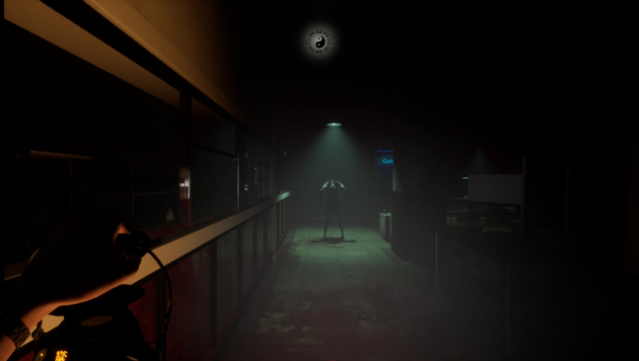
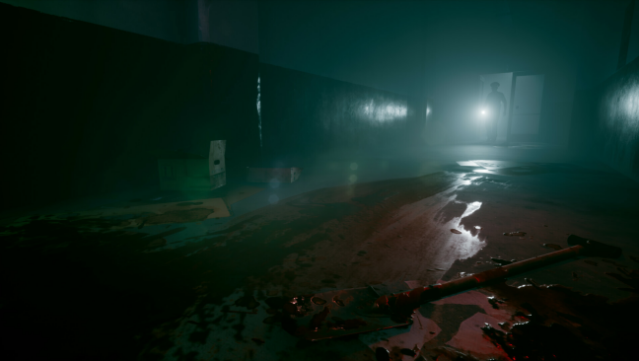
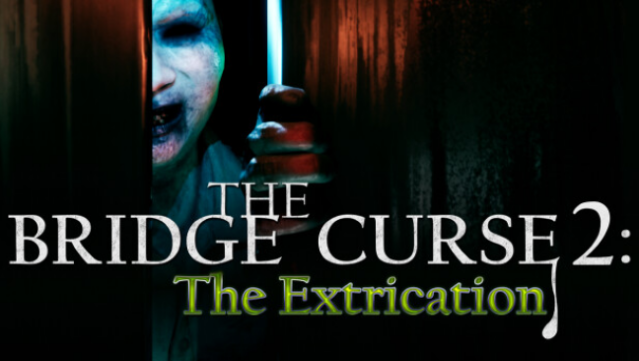
Dive into a spine-chilling experience that merges folklore with survival horror, as you explore a haunted university steeped in chilling ghost stories. Set in the eerie Wen Hua University, this first-person adventure pits you against formidable spirits while you play as four unique characters, each with their own motives and backstories. The game’s core revolves around stealth and resourcefulness—evade terrifying apparitions and solve intricate puzzles as you navigate the shadowy corridors of the infamous 'Da Ren' building during a film club’s ill-fated shoot.
With memorable personalities like the bizarre 'Sergeant Huang' and the malevolent 'Mad Ballerina', the game excels in characterization. Each character's perspective enriches the narrative as you gather crucial items and clues that unravel the university's dark secrets. If you're a fan of atmospheric horror that challenges your wits and nerves, this game is definitely for you.
Instructions
- Click the Download button below and you will be redirected to UploadHaven.
- Wait 5 seconds and click on the blue ‘download now’ button. We recommend using a download manager for faster download speeds. (You can use FDM which is free here, or any other download manager).
- Once the game is finished downloading, right click the .zip file and click on “Extract to The Bridge Curse 2: The Extrication.zip” (To do this you will need 7-Zip, which you can get here, or you can use the built in windows extractor).
- Double click inside the The Bridge Curse 2: The Extrication folder and run the setup application. Accept the EULA, and install the game. Then, launch the game through the desktop shortcut.
The Bridge Curse 2: The Extrication Free Download
The Bridge Curse 2: The Extrication
Size: 7.16 GB
Reminder: This download is completely free and won't cost you a penny. However, If you love the game and want to purchase it, you can support the developers by doing so here.
System Requirements
- Requires a 64-bit processor and operating system
- OS: Windows 10 64 bit
- Processor: AMD Ryzen 3 1200 or Intel Core i5 4590 or equivalent (or better)
- Memory: 8 GB RAM
- Graphics: AMD R9 280 or NVIDIA GTX 960 or equivalent (or better)
- DirectX: Version 11
- Storage: 10 GB available space
- Sound Card: Direct compatible sound card for audio
- Additional Notes: 1080p resolution, Visual Quality: Low, 30FPS
Screenshots