About The Block
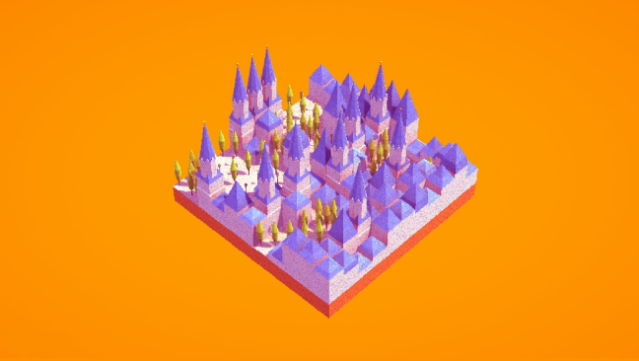
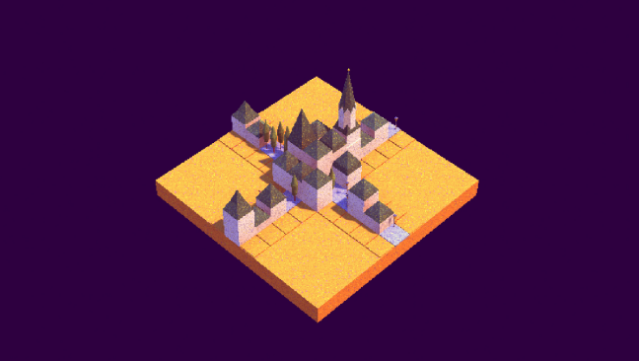
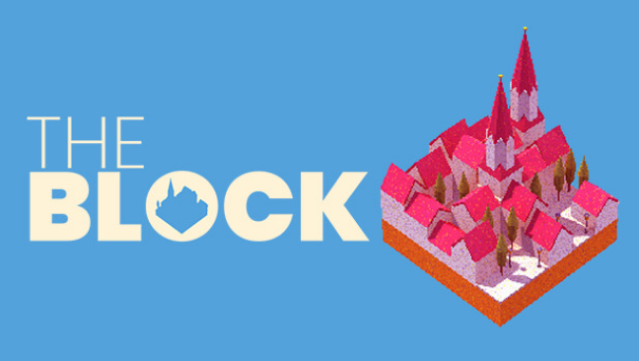
This game offers a delightful twist on the city-building genre, presenting a compact and accessible experience that fits into the busiest of schedules. Set in a charming miniature world, players construct their own unique city block using randomly generated tiles. Each level provides a fresh layout and can be wrapped up in just a few minutes, making it perfect for quick gameplay sessions. With a variety of color palettes and map sizes to experiment with, you can unleash your creativity without the commitment of a traditional city simulator. It’s ideal for those who crave a casual yet engaging building experience. If you enjoy bite-sized gaming that still lets you flex your design skills, this one’s definitely worth checking out.
Instructions
- Click the Download button below and you will be redirected to UploadHaven.
- Wait 5 seconds and click on the blue ‘download now’ button. We recommend using a download manager for faster download speeds. (You can use FDM which is free here, or any other download manager).
- Once the game is finished downloading, right click the .zip file and click on “Extract to The Block.zip” (To do this you will need 7-Zip, which you can get here, or you can use the built in windows extractor).
- Double click inside the The Block folder and run the setup application. Accept the EULA, and install the game. Then, launch the game through the desktop shortcut.
The Block Free Download
Reminder: This download is completely free and won't cost you a penny. However, If you love the game and want to purchase it, you can support the developers by doing so here.
System Requirements
- Requires a 64-bit processor and operating system
- OS: Windows 7, 8 or 10
- Processor: Something Dualcore should do
- Memory: 1024 MB RAM
- Graphics: Nvdia 10XX and above
- Sound Card: Doesn’t matter, just hum along :)
Screenshots