About Templar Battleforce
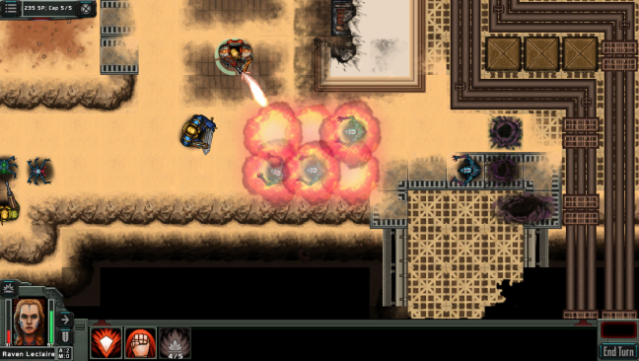
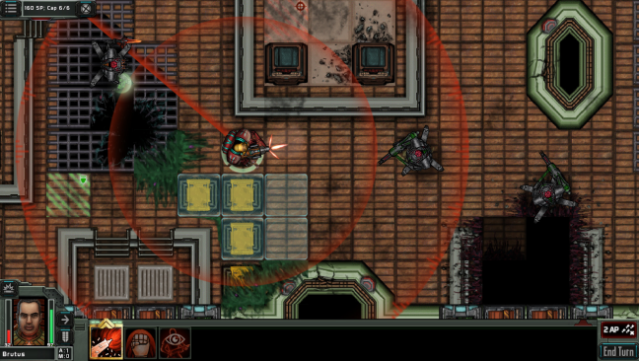
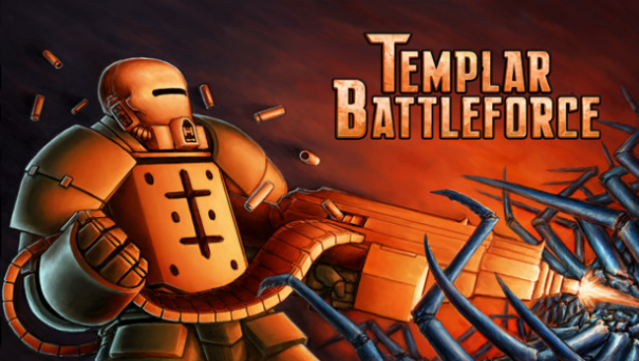
Dive into a thrilling blend of strategic warfare and RPG mechanics in a futuristic battle against menacing foes. This turn-based tactical game allows you to command your own squad of Templar Knights, armored in powerful Leviathan mechs, as you face off against diverse enemies like the Xenos and rogue factions. With over 55 unique scenarios, the gameplay loop challenges you to maneuver your forces through intricate tactical deployments, from close-quarters combat to expansive territory control.
You can customize each Templar with unique skills and armor designs, creating specialized fireteams that utilize stealth, grenades, and heavy weaponry. The game features a rich sci-fi storyline and a vast lore, ensuring there's always something new to uncover. With endless tactical combinations and a New Game+ mode, this game is perfect for fans of strategic depth and military tactics.
Instructions
- Click the Download button below and you will be redirected to UploadHaven.
- Wait 5 seconds and click on the blue ‘download now’ button. We recommend using a download manager for faster download speeds. (You can use FDM which is free here, or any other download manager).
- Once the game is finished downloading, right click the .zip file and click on “Extract to Templar Battleforce v2.7.20.zip” (To do this you will need 7-Zip, which you can get here, or you can use the built in windows extractor).
- Double click inside the Templar Battleforce v2.7.20 folder and run the setup application. Accept the EULA, and install the game. Then, launch the game through the desktop shortcut.
Templar Battleforce Free Download (v2.7.20)
Templar Battleforce (v2.7.20)
Size: 192.34 MB
Reminder: This download is completely free and won't cost you a penny. However, If you love the game and want to purchase it, you can support the developers by doing so here.
System Requirements
- OS: Windows XP, Windos Vista, or Windows 7 / 8 / 10
- Memory: 1024 MB RAM
- Graphics: Requires OpenGL 2.0 or higher
- Storage: 250 MB available space
Screenshots