About Temp Zero
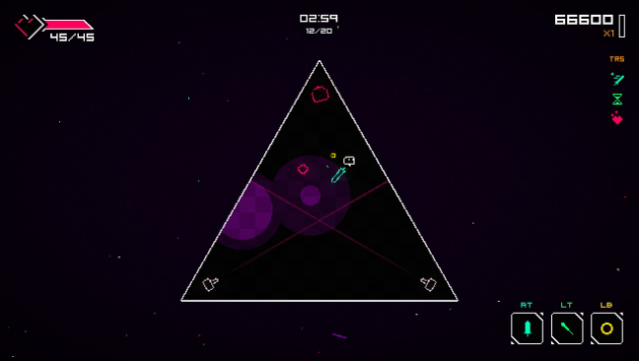
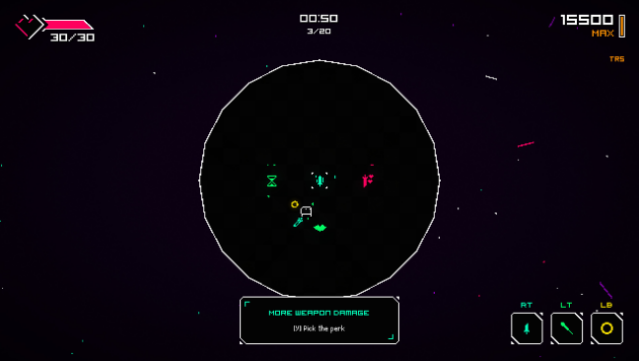
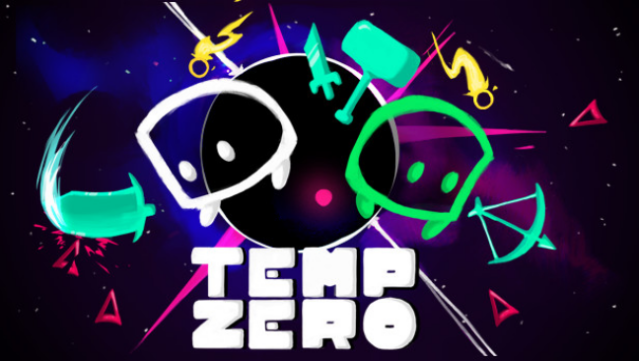
This game blends rhythm with intense action, creating a unique experience where every move you make is synchronized to the beat of a catchy soundtrack. As you navigate through a series of enemy-filled rooms, you can choose from a variety of weapons and spells, including swords, grenades, and lasers, all striking in time with the music. The gameplay revolves around dodging and shooting while managing your perks to enhance your build, adding depth to the experience. With over 64 trophies to chase, daily leaderboards, and customizable challenges that ramp up the difficulty, it keeps you engaged and competing for the top spot. If you’re a fan of action-packed gameplay that grooves to a beat, this one is definitely worth checking out.
Instructions
- Click the Download button below and you will be redirected to UploadHaven.
- Wait 5 seconds and click on the blue ‘download now’ button. We recommend using a download manager for faster download speeds. (You can use FDM which is free here, or any other download manager).
- Once the game is finished downloading, right click the .zip file and click on “Extract to Temp Zero v1.0.zip” (To do this you will need 7-Zip, which you can get here, or you can use the built in windows extractor).
- Double click inside the Temp Zero v1.0 folder and run the setup application. Accept the EULA, and install the game. Then, launch the game through the desktop shortcut.
Temp Zero Free Download (v1.0)
Temp Zero (v1.0)
Size: 124.31 MB
Reminder: This download is completely free and won't cost you a penny. However, If you love the game and want to purchase it, you can support the developers by doing so here.
System Requirements
- OS: Windows 7 64bit or above
- Processor: Dual Core CPU (2.5+ GHz Dual Core)
- Memory: 2 GB RAM
- Graphics: NVIDIA GeForce GTX 460 (1gb) / AMD Radeon HD6670 (1gb)
- Storage: 325 MB available space
- Sound Card: Yes
Screenshots