About Technicity
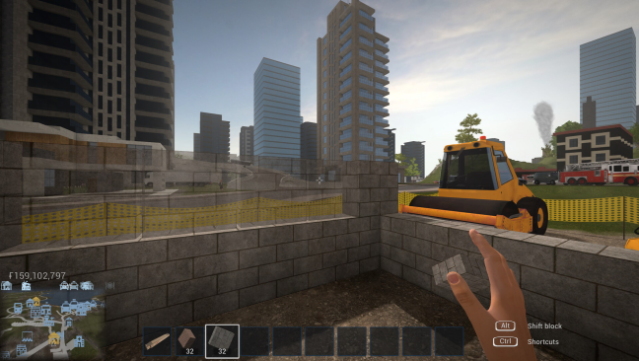
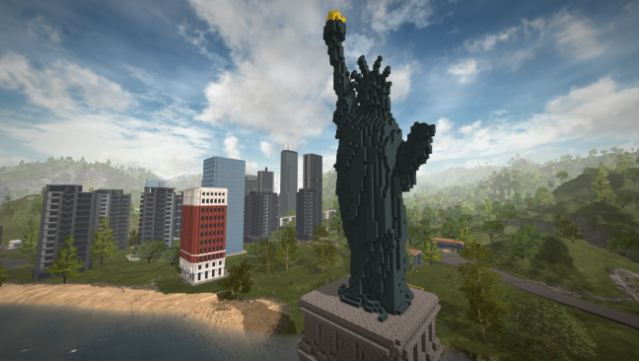
Imagine a city-building game where your creativity knows no bounds, allowing you to design unique construction blocks and items to shape your world. This first-person game immerses you in a vast open world, giving you the tools to terraform the landscape, build intricate roads, and create everything from cozy homes to sprawling factories. You can utilize cranes and cement mixers for efficient construction, and even save and share your building blueprints through the Steam Workshop, tapping into the creativity of others.
The massive 384 km² map is connected by a comprehensive road network, letting you and your friends explore the cities you create together. Whether you want to design functional objects like illuminated signs or simply enjoy the thrill of building, this game offers endless possibilities for collaboration and creativity. Perfect for fans of sandbox games and city builders, it’s a playground for those who love to create and innovate.

Instructions
- Click the Download button below and you will be redirected to UploadHaven.
- Wait 5 seconds and click on the blue ‘download now’ button. We recommend using a download manager for faster download speeds. (You can use FDM which is free here, or any other download manager).
- Once the game is finished downloading, right click the .zip file and click on “Extract to Technicity v1.6c.zip” (To do this you will need 7-Zip, which you can get here, or you can use the built in windows extractor).
- Double click inside the Technicity v1.6c folder and run the setup application. Accept the EULA, and install the game. Then, launch the game through the desktop shortcut.
Technicity Free Download (v1.6c)
Technicity (v1.6c)
Size: 669.02 MB
Reminder: This download is completely free and won't cost you a penny. However, If you love the game and want to purchase it, you can support the developers by doing so here.
System Requirements
- OS: Windows 7/8/10
- Processor: 3 GHz
- Memory: 8 GB RAM
- Graphics: OpenGL 3 compatible card with 2 GB of memory, nVidia® 7XX+/AMD® 7XXX+
- Storage: 2 GB available space
Screenshots