About TasteMaker
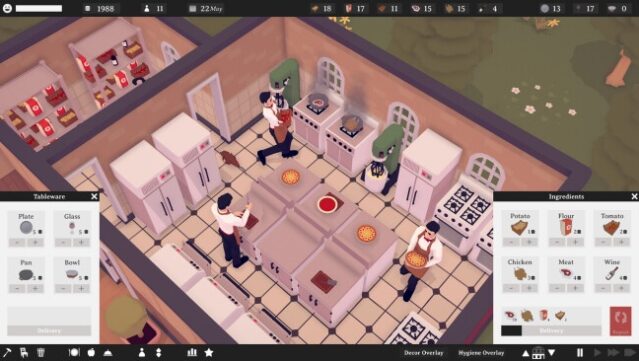
Dive into the world of culinary entrepreneurship where you craft your dream restaurant from the ground up. This restaurant tycoon and simulation game challenges you to design and manage every aspect of your dining establishment, from layout to staffing and cleanliness. Start with a blank plot and strategically place walls, doors, and windows to create the perfect ambiance. As you earn cash from happy customers, expand your territory and enhance your offerings, all while ensuring your restaurant's decor stands out. With its blend of creativity and management mechanics, this game is ideal for those who thrive on building their own culinary empire. Perfect for fans of simulation games looking to unleash their inner chef and entrepreneur.

Instructions
- Click the Download button below and you will be redirected to UploadHaven.
- Wait 5 seconds and click on the blue ‘download now’ button. We recommend using a download manager for faster download speeds. (You can use FDM which is free here, or any other download manager).
- Once the game is finished downloading, right click the .zip file and click on “Extract to TasteMaker v2023.04.21.zip” (To do this you will need 7-Zip, which you can get here, or you can use the built in windows extractor).
- Double click inside the TasteMaker v2023.04.21 folder and run the setup application. Accept the EULA, and install the game. Then, launch the game through the desktop shortcut.
TasteMaker Free Download (v2023.04.21)
TasteMaker (v2023.04.21)
Size: 168.01 MB
Reminder: This download is completely free and won't cost you a penny. However, If you love the game and want to purchase it, you can support the developers by doing so here.
System Requirements
- OS: Windows 7
- Processor: Intel Core i3-5010U 2.10 GHz
- Memory: 4 GB RAM
- Graphics: Intel HD Graphics 5500
- DirectX: Version 11
- Storage: 200 MB available space
Screenshots