About Take a Walk
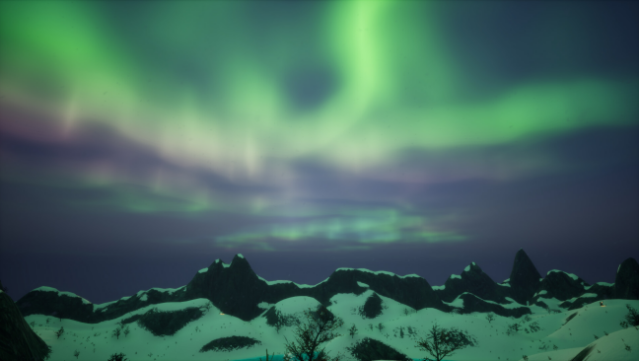
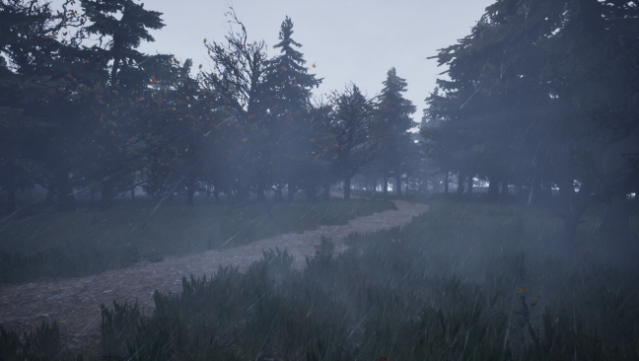
Immerse yourself in a cozy walking simulator that invites you to explore stunning landscapes without the physical strain. Set across five beautifully crafted maps, ranging from the Arctic tundra to a charming backyard, the game offers a serene escape into nature. Players experience dynamic weather changes that enhance the tranquil ambiance while encountering adorable wildlife that adds a delightful touch of cuteness. With hidden treasures scattered throughout, there's plenty to discover at every turn. You can choose to auto-walk through the landscapes, use it as a calming 3D wallpaper, or venture out on your own to interact with quirky characters. This game is perfect for anyone who enjoys a relaxing exploration experience or simply wants to unwind in beautifully designed environments.

Instructions
- Click the Download button below and you will be redirected to UploadHaven.
- Wait 5 seconds and click on the blue ‘download now’ button. We recommend using a download manager for faster download speeds. (You can use FDM which is free here, or any other download manager).
- Once the game is finished downloading, right click the .zip file and click on “Extract to Take a Walk.zip” (To do this you will need 7-Zip, which you can get here, or you can use the built in windows extractor).
- Double click inside the Take a Walk folder and run the setup application. Accept the EULA, and install the game. Then, launch the game through the desktop shortcut.
Take a Walk Free Download
Reminder: This download is completely free and won't cost you a penny. However, If you love the game and want to purchase it, you can support the developers by doing so here.
System Requirements
- OS: Windows 10
- Processor: i5-5600 or any quad core processor
- Memory: 16 GB RAM
- Graphics: RTX 2060 or RX 6600
- Storage: 15 GB available space
- Additional Notes: This game can be played without RTX but is greatly improved with it enabled
Screenshots