About Table Tennis Pro
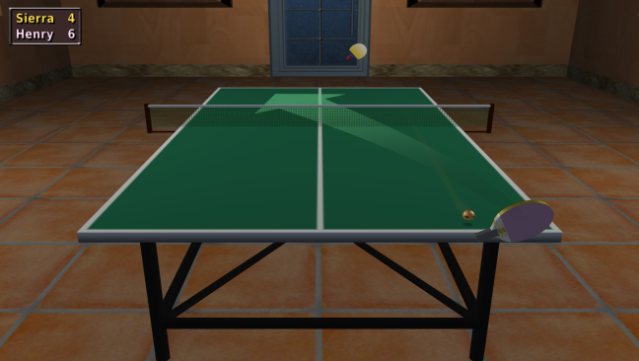
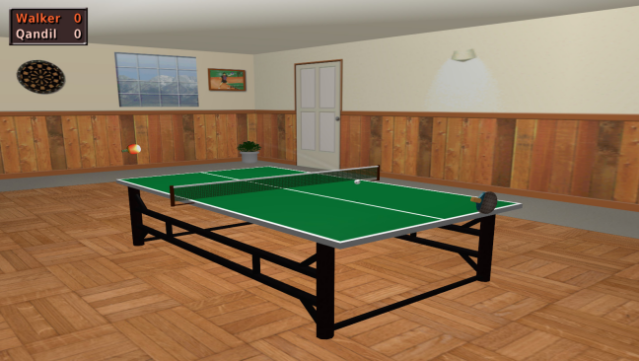
Dive into the world of table tennis like never before with a game that captures the essence of the sport through an innovative control system. As a simulation game, it offers a realistic ping-pong experience where players have complete command over power and spin, making each shot customizable and strategic. Compete against 31 AI opponents, each bringing their own unique style and difficulty, ensuring that every match presents a new challenge.
The game features multiple modes, including multiplayer options for split-screen action, and even includes league and tournament competitions to test your skills over time. With a true 3D environment and customizable bats and tables, players can get lost in the vibrant settings. Plus, practice mode with a programmable robot and engaging mini-games round out the experience, making it accessible for all skill levels.
Perfect for fans of sports simulations and those who enjoy competitive gameplay, this game is an excellent choice for anyone looking to improve their table tennis skills or just have fun.

Instructions
- Click the Download button below and you will be redirected to UploadHaven.
- Wait 5 seconds and click on the blue ‘download now’ button. We recommend using a download manager for faster download speeds. (You can use FDM which is free here, or any other download manager).
- Once the game is finished downloading, right click the .zip file and click on “Extract to Table Tennis Pro v3.0.zip” (To do this you will need 7-Zip, which you can get here, or you can use the built in windows extractor).
- Double click inside the Table Tennis Pro v3.0 folder and run the setup application. Accept the EULA, and install the game. Then, launch the game through the desktop shortcut.
Table Tennis Pro Free Download (v3.0)
Table Tennis Pro (v3.0)
Size: 72.33 MB
Reminder: This download is completely free and won't cost you a penny. However, If you love the game and want to purchase it, you can support the developers by doing so here.
System Requirements
- OS: Windows XP or later
- Processor: 1.0GHz
- Memory: 512 MB RAM
- DirectX: Version 9.0c
- Storage: 50 MB available space
Screenshots