About Symphony
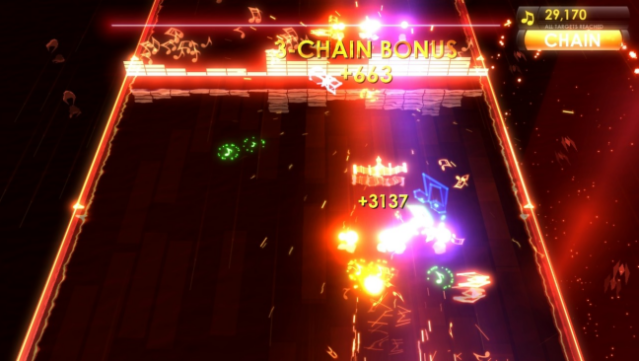
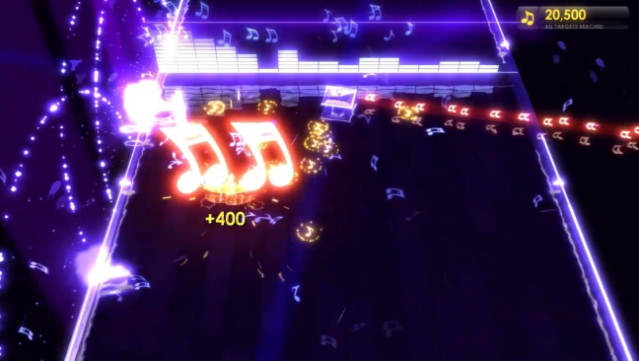
Immerse yourself in a unique blend of music and gaming, where your own song library transforms into an exhilarating battleground. This vertical shooter combines action with a personal soundtrack, as you combat a sinister force that corrupts your music. Each track you own becomes a level, complete with items to discover and enemies to defeat. The gameplay encourages customization, allowing you to upgrade your ship and collect various weapons hidden within your music files.
With an innovative leaderboard system that rewards skill and choice of armament, players are incentivized to dive deep into their collection and experiment with different loadouts. Add to that the challenge of five distinct boss sets and six difficulty levels, and you have a game that's perfect for rhythm enthusiasts and shooter fans alike. If you love action-packed music games, this one is definitely worth checking out.

Instructions
- Click the Download button below and you will be redirected to UploadHaven.
- Wait 5 seconds and click on the blue ‘download now’ button. We recommend using a download manager for faster download speeds. (You can use FDM which is free here, or any other download manager).
- Once the game is finished downloading, right click the .zip file and click on “Extract to Symphony.zip” (To do this you will need 7-Zip, which you can get here, or you can use the built in windows extractor).
- Double click inside the Symphony folder and run the setup application. Accept the EULA, and install the game. Then, launch the game through the desktop shortcut.
Symphony Free Download
Reminder: This download is completely free and won't cost you a penny. However, If you love the game and want to purchase it, you can support the developers by doing so here.
System Requirements
- OS: Windows XP SP3 / Vista / 7
- Processor: 2 GHz
- Memory: 2 GB RAM
- Hard Disk Space: 500 MB
- Video Card: MB, DirectX® 9.0c-compatible, Shader Model 3.0 or higher
- DirectX®: DirectX 9.0c
- Sound: DirectX 9.0c-compatible
Screenshots