About Startup Company
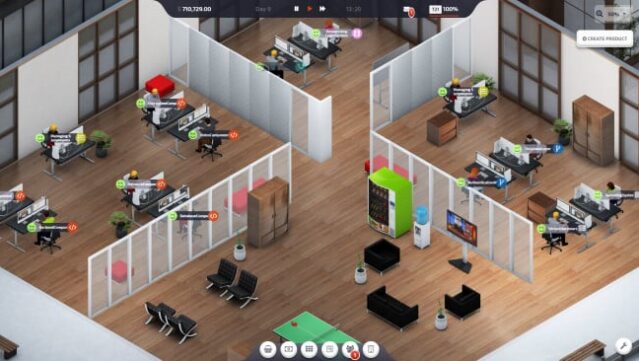
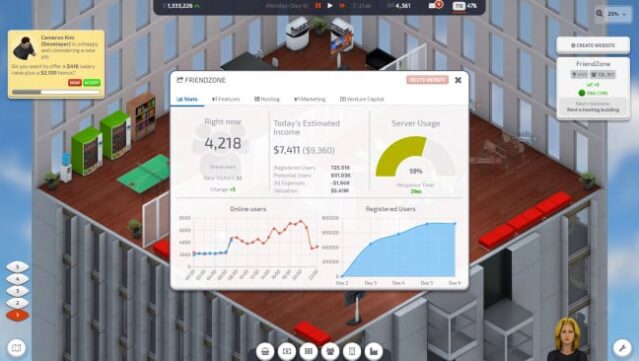
Dive into the thrilling world of entrepreneurship where your ambitions can lead your startup from humble beginnings to tech giant status. This business simulation sandbox lets you step into the shoes of a CEO, focused on creating a standout website that can rival the biggest players in the industry. Balancing multiple responsibilities is key, as you manage server capacity, attract users, invest in marketing, and oversee production—all while nurturing your team's growth. The game challenges you to think strategically and adapt as you expand your company's reach. Ideal for those who love management games and the hustle of startup culture, this title is perfect for aspiring virtual entrepreneurs.
Instructions
- Click the Download button below and you will be redirected to UploadHaven.
- Wait 5 seconds and click on the blue ‘download now’ button. We recommend using a download manager for faster download speeds. (You can use FDM which is free here, or any other download manager).
- Once the game is finished downloading, right click the .zip file and click on “Extract to Startup Company v1.24.zip” (To do this you will need 7-Zip, which you can get here, or you can use the built in windows extractor).
- Double click inside the Startup Company v1.24 folder and run the setup application. Accept the EULA, and install the game. Then, launch the game through the desktop shortcut.
Startup Company Free Download (v1.24)
Startup Company (v1.24)
Size: 337.36 MB
Reminder: This download is completely free and won't cost you a penny. However, If you love the game and want to purchase it, you can support the developers by doing so here.
System Requirements
- OS: Windows 7
- Processor: 2 GHz Dual Core
- Memory: 2 GB RAM
- Graphics: Nvidia GeForce GTX 570 or similar
- Storage: 200 MB available space
Screenshots