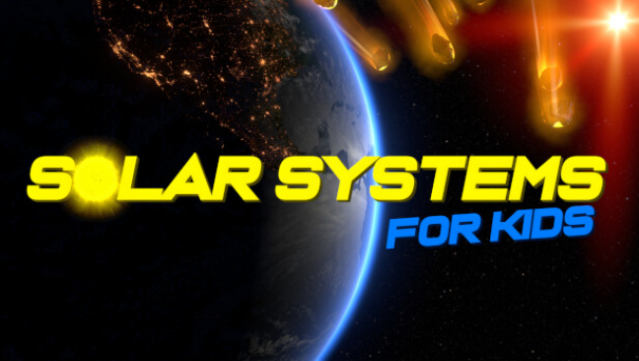
About Solar Systems for Kids
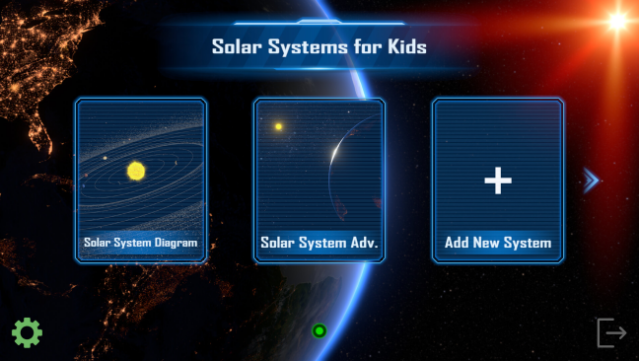
This charming educational game transforms learning about the cosmos into an engaging experience for kids and adults alike. Set in a richly detailed Solar System, players explore the Sun and its planets, including fascinating features like the asteroid and Kuiper belts, all presented in stunning HD graphics. The core gameplay revolves around discovery and creativity, allowing users to construct their own unique solar systems by selecting star colors, planet sizes, and orbital speeds.
With multiple planet types and customizable features, each creation feels personal and offers a fresh experience. The game also includes delightful voice acting to enhance the learning process. Perfect for parents looking to spark their children's interest in astronomy, this game offers a fun way to explore outer space together. If you're a fan of educational games that blend fun with learning, this one is definitely worth checking out.
Instructions
- Click the Download button below and you will be redirected to UploadHaven.
- Wait 5 seconds and click on the blue ‘download now’ button. We recommend using a download manager for faster download speeds. (You can use FDM which is free here, or any other download manager).
- Once the game is finished downloading, right click the .zip file and click on “Extract to Solar Systems for Kids.zip” (To do this you will need 7-Zip, which you can get here, or you can use the built in windows extractor).
- Double click inside the Solar Systems for Kids folder and run the setup application. Accept the EULA, and install the game. Then, launch the game through the desktop shortcut.
Solar Systems for Kids Free Download
Solar Systems for Kids
Size: 3.71 GB
Reminder: This download is completely free and won't cost you a penny. However, If you love the game and want to purchase it, you can support the developers by doing so here.
System Requirements
- Requires a 64-bit processor and operating system
- OS: Windows 7
- Processor: Quad-core CPU
- Memory: 8 GB RAM
- Graphics: DirectX 11 GPU
- DirectX: Version 11
- Storage: 4 GB available space
- Sound Card: Any
Screenshots