About SHMUP Creator
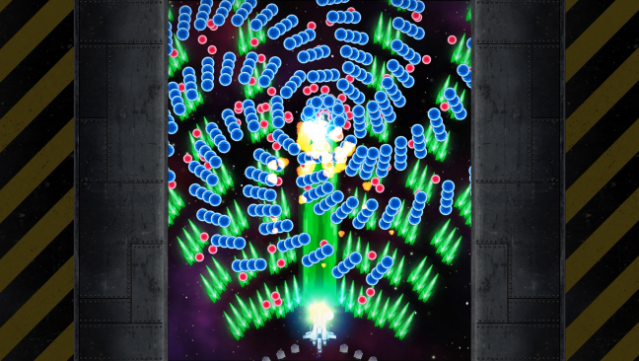
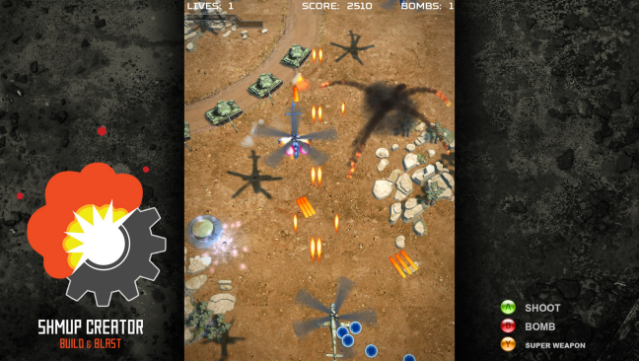
This game is an absolute playground for shoot 'em up enthusiasts, allowing you to design your own custom titles without needing any coding skills. As a versatile game creation tool, it lets you craft both 2D and 3D shooters, with options for vertical, horizontal, or multi-directional levels. You have access to a wealth of built-in assets like models, sprites, sounds, and music, so you can jump right into the development process. The user-friendly interface allows you to customize virtually everything using just your mouse, whether it's gameplay elements, explosion effects, or user interfaces. Plus, you can easily test your creations with a single button press and distribute your finished game as an executable, all without any royalties or fees. Perfect for fans of game design or anyone who loves shoot 'em ups!
Instructions
- Click the Download button below and you will be redirected to UploadHaven.
- Wait 5 seconds and click on the blue ‘download now’ button. We recommend using a download manager for faster download speeds. (You can use FDM which is free here, or any other download manager).
- Once the game is finished downloading, right click the .zip file and click on “Extract to SHMUP Creator v1.6.1.11 & ALL DLC.zip” (To do this you will need 7-Zip, which you can get here, or you can use the built in windows extractor).
- Double click inside the SHMUP Creator v1.6.1.11 & ALL DLC folder and run the setup application. Accept the EULA, and install the game. Then, launch the game through the desktop shortcut.
SHMUP Creator Free Download (v1.6.1.11 & ALL DLC)
SHMUP Creator (v1.6.1.11 & ALL DLC)
Size: 136.46 MB
Reminder: This download is completely free and won't cost you a penny. However, If you love the game and want to purchase it, you can support the developers by doing so here.
System Requirements
- Requires a 64-bit processor and operating system
- OS *: Windows 8
- Processor: Intel Core2 Duo
- Memory: 2 GB RAM
- Graphics: Shader Model 3
- DirectX: Version 11
- Storage: 1 GB available space
Screenshots