About SGS We the People
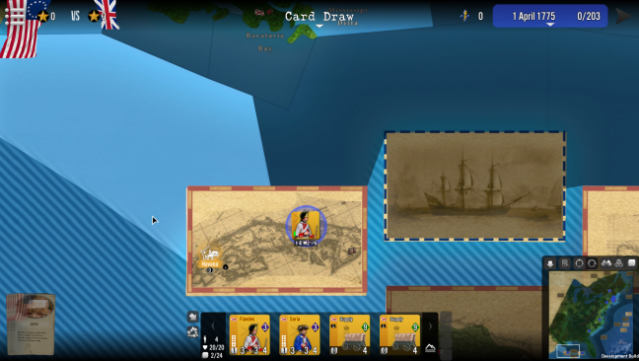
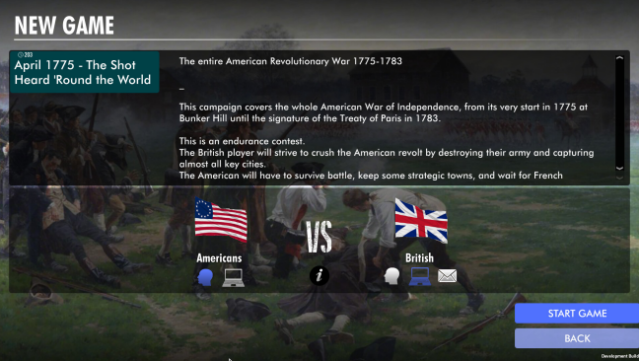
Step into the strategic challenges of the American Revolutionary War with a game that immerses you in the nuanced decisions of warfare and resource management. This turn-based strategy game spans the entire conflict from April 1775 to September 1783, allowing players to navigate pivotal historical events, manage finances, and construct their military forces wisely. Key gameplay elements include utilizing a card system that introduces randomness in reinforcements, diplomacy, and combat, which keeps each session fresh and engaging. Players can choose from various scenarios, including a comprehensive grand campaign or more focused campaigns like the ill-fated Canadian invasion or the decisive battles of Saratoga. This game is a perfect fit for strategy enthusiasts and history buffs who appreciate intricate gameplay intertwined with real historical outcomes.

Instructions
- Click the Download button below and you will be redirected to UploadHaven.
- Wait 5 seconds and click on the blue ‘download now’ button. We recommend using a download manager for faster download speeds. (You can use FDM which is free here, or any other download manager).
- Once the game is finished downloading, right click the .zip file and click on “Extract to SGS We the People.zip” (To do this you will need 7-Zip, which you can get here, or you can use the built in windows extractor).
- Double click inside the SGS We the People folder and run the setup application. Accept the EULA, and install the game. Then, launch the game through the desktop shortcut.
SGS We the People Free Download
SGS We the People
Size: 847.78 MB
Reminder: This download is completely free and won't cost you a penny. However, If you love the game and want to purchase it, you can support the developers by doing so here.
System Requirements
- OS: Windows 7/8/10+
- Processor: 2.5 GHz Intel Dual Core
- Memory: 4 GB RAM
- Graphics: 512 MB NVIDIA GeForce 9600 or equivalent
- DirectX: Version 9.0
- Storage: 2 GB available space
- Sound Card: DirectX Compatible
Screenshots