About Scope X
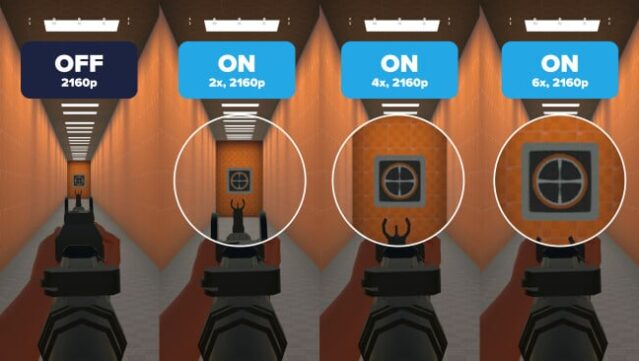
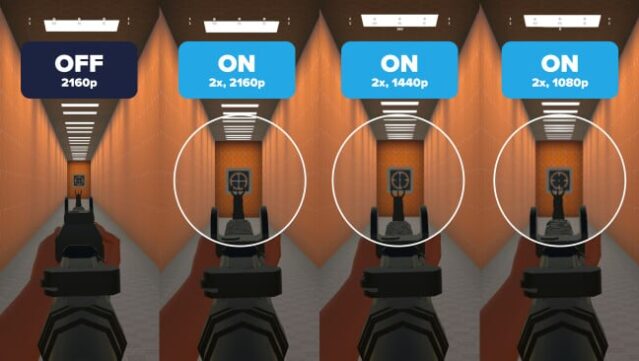
Imagine having the power to magnify any detail on your screen without disrupting your workflow. This lightweight zoom tool enhances your visual experience by allowing seamless magnification and personalized focus shapes, making it an essential addition for anyone needing a closer look at their display. Scope X enables real-time zooming with a responsive interface that integrates effortlessly into your daily tasks, controlled by customizable keyboard and mouse shortcuts for easy access. You can personalize your focus shape by adjusting its color, size, and transparency, ensuring it fits your specific needs. Best of all, this tool works alongside any application or game without requiring additional modifications. If you often find yourself straining to see fine details on your screen, this tool is definitely worth checking out.

Instructions
- Click the Download button below and you will be redirected to UploadHaven.
- Wait 5 seconds and click on the blue ‘download now’ button. We recommend using a download manager for faster download speeds. (You can use FDM which is free here, or any other download manager).
- Once the game is finished downloading, right click the .zip file and click on “Extract to Scope X.zip” (To do this you will need 7-Zip, which you can get here, or you can use the built in windows extractor).
- Double click inside the Scope X folder and run the setup application. Accept the EULA, and install the game. Then, launch the game through the desktop shortcut.
Scope X Free Download
Reminder: This download is completely free and won't cost you a penny. However, If you love the game and want to purchase it, you can support the developers by doing so here.
System Requirements
- OS: Windows 10
Screenshots