About Rune Knights
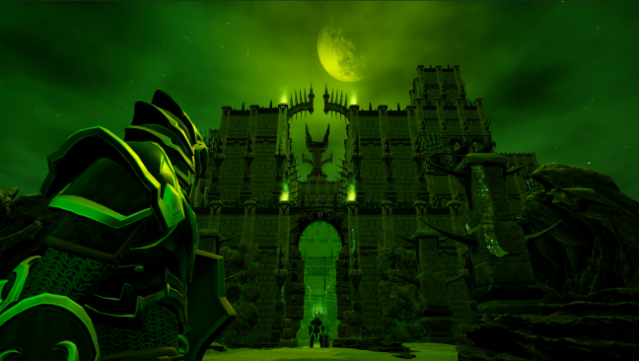
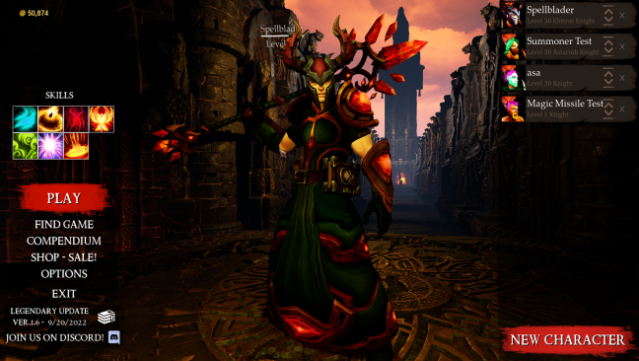
Dive into a thrilling blend of co-op gameplay and fast-paced hack-and-slash action. This game is an action RPG where you team up with friends to take down monsters, gather loot, and craft powerful gear. With a focus on customization, you can fine-tune your character's appearance, stats, and playstyle as you explore a mix of procedurally generated and meticulously designed levels filled with diverse enemies and formidable bosses. Choose from over 120 talents and 60 mighty abilities to create a unique hero that suits your approach to combat. Perfect for those who enjoy deep character customization and engaging multiplayer experiences.
Instructions
- Click the Download button below and you will be redirected to UploadHaven.
- Wait 5 seconds and click on the blue ‘download now’ button. We recommend using a download manager for faster download speeds. (You can use FDM which is free here, or any other download manager).
- Once the game is finished downloading, right click the .zip file and click on “Extract to Rune Knights v1.6.zip” (To do this you will need 7-Zip, which you can get here, or you can use the built in windows extractor).
- Double click inside the Rune Knights v1.6 folder and run the setup application. Accept the EULA, and install the game. Then, launch the game through the desktop shortcut.
Rune Knights Free Download (v1.6)
Rune Knights (v1.6)
Size: 7.14 GB
Reminder: This download is completely free and won't cost you a penny. However, If you love the game and want to purchase it, you can support the developers by doing so here.
System Requirements
- OS: Windows 7 (64 bit) or Newer (64 bit) Windows OS
- Processor: 2.5 GHz Dual core
- Memory: 4 GB RAM
- Graphics: NVIDIA GeForce 760, AMD Radeon R7 270X, or better
- DirectX: Version 11
- Storage: 5 GB available space
- Additional Notes: Broadband connection recommended for online play
Screenshots