About Rune Coliseum
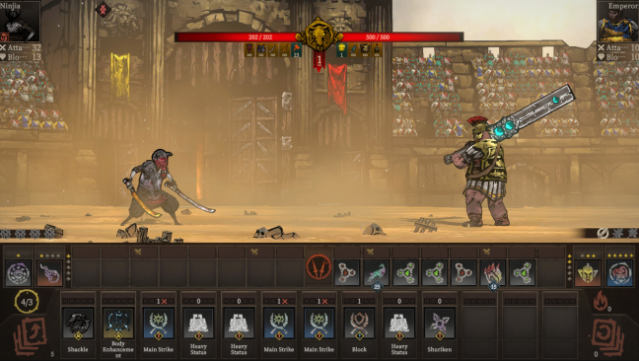
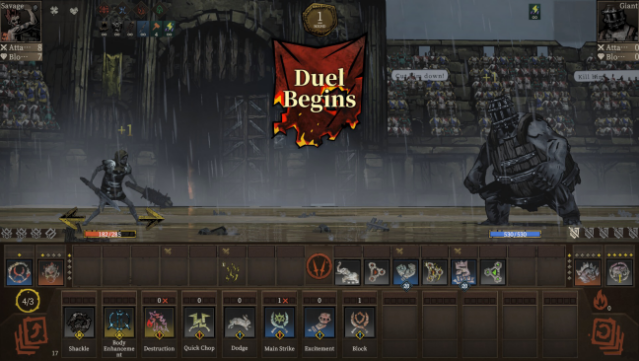
In a world where gladiators clash in electrifying tournaments, this game stands out with its unique blend of deck-building, fighting mechanics, and roguelike elements. It immerses players in a fierce arena where they select a gladiator, each boasting distinct abilities, and engage in strategic, turn-based combat that allows for multiple actions in a single turn, creating a dynamic battlefield experience. Players can also scavenge for a diverse array of weapons and equipment, enhancing their character's skills and adapting their strategies mid-fight. Additionally, the ability to combine runes opens up powerful magic options, allowing you to unleash devastating attacks that can turn the tide of battle. Perfect for fans of competitive action and tactical gameplay, this title invites anyone eager for thrilling gladiatorial combat.
Instructions
- Click the Download button below and you will be redirected to UploadHaven.
- Wait 5 seconds and click on the blue ‘download now’ button. We recommend using a download manager for faster download speeds. (You can use FDM which is free here, or any other download manager).
- Once the game is finished downloading, right click the .zip file and click on “Extract to Rune Coliseum.zip” (To do this you will need 7-Zip, which you can get here, or you can use the built in windows extractor).
- Double click inside the Rune Coliseum folder and run the setup application. Accept the EULA, and install the game. Then, launch the game through the desktop shortcut.
Rune Coliseum Free Download
Reminder: This download is completely free and won't cost you a penny. However, If you love the game and want to purchase it, you can support the developers by doing so here.
System Requirements
- Requires a 64-bit processor and operating system
- OS *: Windows 7 and above
- Processor: Intel i3-6100 / AMD Ryzen 3 1200, FX4350 or greater
- Graphics: NVIDIA GeForce GTX 760 / AMD Radeon R9 280X
- DirectX: Version 8.0a
- Storage: 8 GB available space
- Additional Notes: Recommend using an SSD
Screenshots