About RPG in a Box
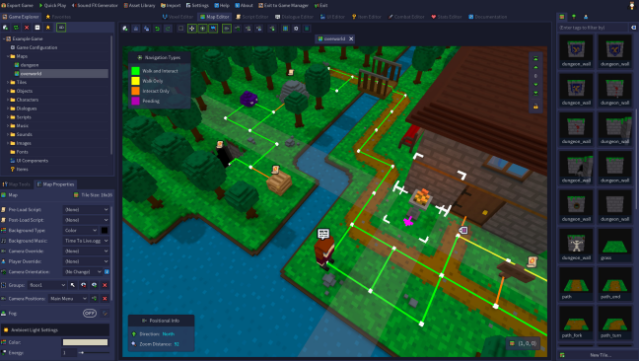
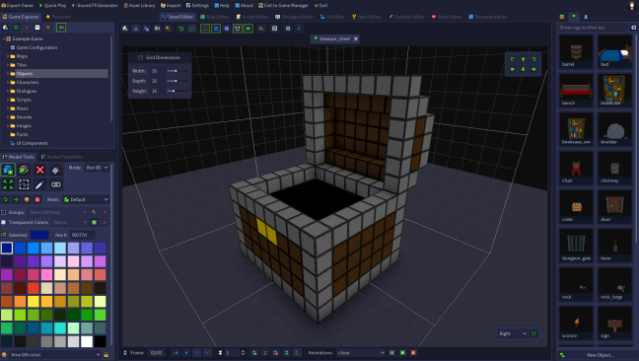
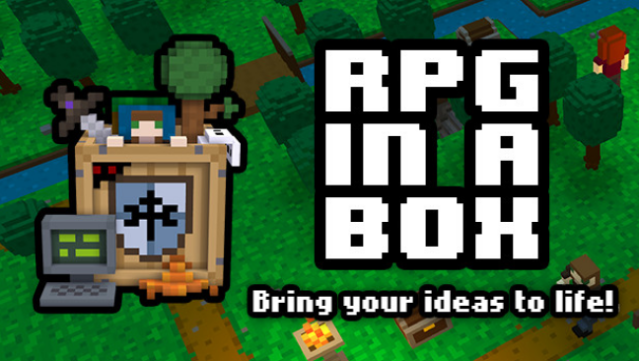
This game offers a unique platform for aspiring developers to transform their stories into interactive experiences without needing programming skills. As a user-friendly game creation tool, it allows you to design games using a voxel-based art style, crafting everything from characters to environments with ease. The core gameplay loop revolves around building grid-based worlds, populating them with animated NPCs, and creating engaging events through a visual scripting interface.
Notably, you can customize your creations with a stop-motion animation system, and the engine supports importing models from popular voxel editors. With its branching dialogue tool, you can weave intricate narratives, allowing players to make choices that influence their experience. Perfect for fans of game design and storytelling, this tool is an excellent fit for anyone looking to create their own games from scratch.
Instructions
- Click the Download button below and you will be redirected to UploadHaven.
- Wait 5 seconds and click on the blue ‘download now’ button. We recommend using a download manager for faster download speeds. (You can use FDM which is free here, or any other download manager).
- Once the game is finished downloading, right click the .zip file and click on “Extract to RPG in a Box v1.3.6.zip” (To do this you will need 7-Zip, which you can get here, or you can use the built in windows extractor).
- Double click inside the RPG in a Box v1.3.6 folder and run the setup application. Accept the EULA, and install the game. Then, launch the game through the desktop shortcut.
RPG in a Box Free Download (v1.3.6)
RPG in a Box (v1.3.6)
Size: 696.24 MB
Reminder: This download is completely free and won't cost you a penny. However, If you love the game and want to purchase it, you can support the developers by doing so here.
System Requirements
- OS: Windows 7
- Graphics: OpenGL 3.3+
- Storage: 500 MB available space
Screenshots