About RPG Developer Bakin
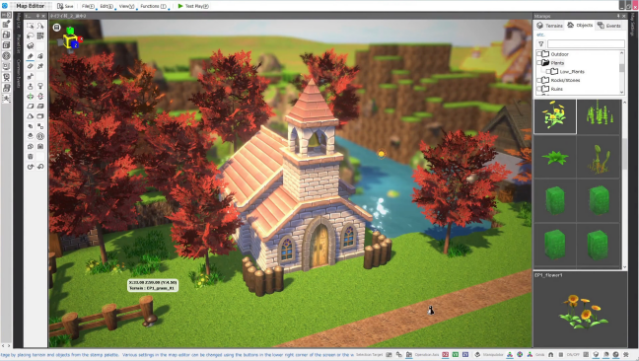
Dive into a world of creativity with a tool that empowers you to design your own RPGs, adventure games, and action titles without needing any coding skills. Set in an intuitive interface, it allows you to craft expansive game maps as easily as sketching on paper. You can effortlessly adjust terrain and place objects like trees, buildings, and furniture, manipulating their scale and rotation to personalize your environments. With standout features such as a cartoon-style shader, image masking, and the ability to apply 2D decals, the customization options are virtually limitless. Plus, for those who want to take it a step further, you can write C# plugins for extra functionality. Perfect for aspiring game developers and fans of RPGs looking to bring their visions to life.

Instructions
- Click the Download button below and you will be redirected to UploadHaven.
- Wait 5 seconds and click on the blue ‘download now’ button. We recommend using a download manager for faster download speeds. (You can use FDM which is free here, or any other download manager).
- Once the game is finished downloading, right click the .zip file and click on “Extract to RPG Developer Bakin.zip” (To do this you will need 7-Zip, which you can get here, or you can use the built in windows extractor).
- Double click inside the RPG Developer Bakin folder and run the setup application. Accept the EULA, and install the game. Then, launch the game through the desktop shortcut.
RPG Developer Bakin Free Download
RPG Developer Bakin
Size: 7.93 GB
Reminder: This download is completely free and won't cost you a penny. However, If you love the game and want to purchase it, you can support the developers by doing so here.
System Requirements
- Requires a 64-bit processor and operating system
- OS: Microsoft® Windows10 (64bit)
- Processor: Intel Core i3-4340 or better
- Memory: 8 GB RAM
- Graphics: Graphic board that works with OpenGL 4.4 or higher
- Storage: 8 GB available space
- Additional Notes: Performance is not guaranteed under a virtual or emulated some cases, this tool will not launch unless the sound utility “Nahimic” is stopped.
Screenshots