About Rez Infinite
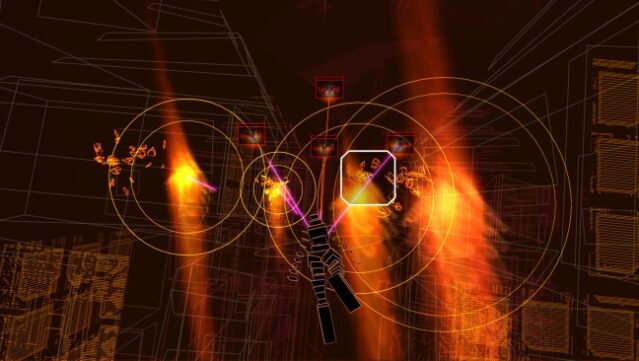
Dive into a mesmerizing blend of music and visuals that transforms gaming into an art form. This unique rail shooter takes you through a vibrant world, where each blast and enemy encounter syncs perfectly with an electrifying techno soundtrack. Players navigate through stunning environments filled with dynamic enemies and colossal bosses that evolve in rhythm with the game’s soundscape.
The experience is available in both traditional desktop mode and immersive VR, making every session feel fresh and engaging. With its focus on synesthetic gameplay, this title stands out for its ability to create a seamless connection between sight and sound, providing an unforgettable sensory journey. If you're a fan of rhythm-based gameplay or visually striking experiences, this game is definitely worth checking out.
Instructions
- Click the Download button below and you will be redirected to UploadHaven.
- Wait 5 seconds and click on the blue ‘download now’ button. We recommend using a download manager for faster download speeds. (You can use FDM which is free here, or any other download manager).
- Once the game is finished downloading, right click the .zip file and click on “Extract to Rez Infinite.zip” (To do this you will need 7-Zip, which you can get here, or you can use the built in windows extractor).
- Double click inside the Rez Infinite folder and run the setup application. Accept the EULA, and install the game. Then, launch the game through the desktop shortcut.
Rez Infinite Free Download
Reminder: This download is completely free and won't cost you a penny. However, If you love the game and want to purchase it, you can support the developers by doing so here.
System Requirements
- Requires a 64-bit processor and operating system
- OS: Windows 7/8/10 (64-bit)
- Processor: Intel i3-3220
- Memory: 4 GB RAM
- Graphics: NVIDIA GeForce GTX 750 equivalent or greater
- DirectX: Version 11
- Storage: 2 GB available space
- Sound Card: DirectX 11 Compatible
- Additional Notes: Minimum specs for non-VR mode
Screenshots