About ProtoCorgi
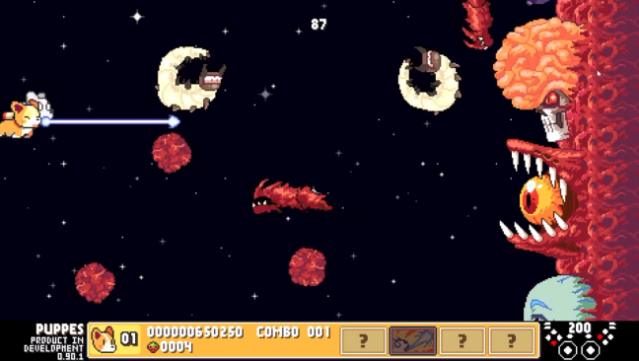
Imagine taking control of an adorable cybernetic corgi on a quest to save his master while blasting through waves of enemies—it’s all part of this charming shoot 'em up! Set in a vibrant, retro pixel art world, you guide Bullet, a C³ class (Cute Cybernetic Corgi), as he navigates treacherous landscapes filled with formidable foes and massive bosses. The gameplay centers around shooting, dodging, and using a powerful bark to defeat enemies, with adjustable difficulty levels ranging from “Pup” to “Ultra Nightmare” to cater to all skill levels.
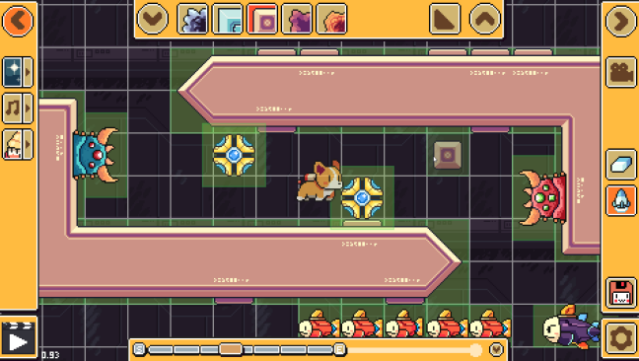
With 27 different weapon combinations and unique massive attacks, you can mix and match your arsenal to create a personalized approach to combat. Plus, the game includes a stage editor, allowing you to design your own levels and share them with friends. Perfect for fans of quirky arcade shooters and those who love a bit of canine flair in their gaming!
Instructions
- Click the Download button below and you will be redirected to UploadHaven.
- Wait 5 seconds and click on the blue ‘download now’ button. We recommend using a download manager for faster download speeds. (You can use FDM which is free here, or any other download manager).
- Once the game is finished downloading, right click the .zip file and click on “Extract to ProtoCorgi v1.1.44.zip” (To do this you will need 7-Zip, which you can get here, or you can use the built in windows extractor).
- Double click inside the ProtoCorgi v1.1.44 folder and run the setup application. Accept the EULA, and install the game. Then, launch the game through the desktop shortcut.
ProtoCorgi Free Download (v1.1.44)
ProtoCorgi (v1.1.44)
Size: 272.78 MB
Reminder: This download is completely free and won't cost you a penny. However, If you love the game and want to purchase it, you can support the developers by doing so here.
System Requirements
- OS: Windows 7,8,10,11
- Processor: 2+ GHZ
- Memory: 2 GB RAM
- Graphics: Shader model 3.0
- DirectX: Version 11
- Storage: 500 MB available space
- Sound Card: Stereo sound
- Additional Notes: Some laptops will default to running ProtoCorgi off of their integrated GPU. We strongly recommend that you run ProtoCorgi on your dedicated GPU.
Screenshots