About Progressbar95
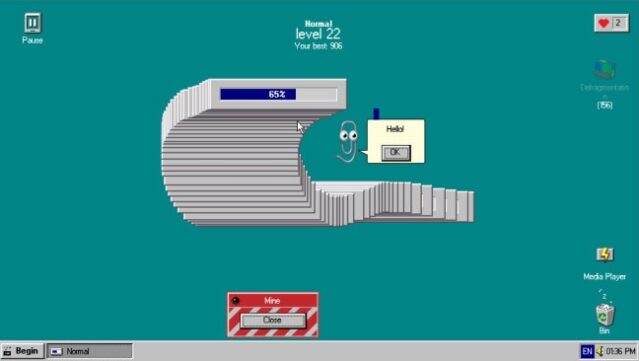
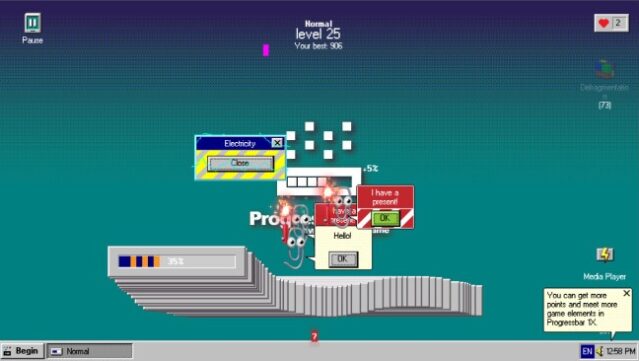
This game offers a charmingly nostalgic experience that transforms retro computer interfaces into engaging gameplay. Set within a vintage graphical user interface, players navigate through panels and buttons while battling quirky virtual foes like office assistants and pesky pop-ups. The main goal is to fill up the progress bar by maneuvering it with your mouse, gathering points and unlocking upgrades to enhance your virtual machine’s capabilities.
What makes it stand out is its clever integration of classic computing elements and the challenge of mastering its seemingly simple mechanics. It serves as a delightful throwback for anyone who remembers the quirks of early computer systems. Perfect for fans of casual gaming who enjoy a mix of nostalgia and lighthearted challenges.
Instructions
- Click the Download button below and you will be redirected to UploadHaven.
- Wait 5 seconds and click on the blue ‘download now’ button. We recommend using a download manager for faster download speeds. (You can use FDM which is free here, or any other download manager).
- Once the game is finished downloading, right click the .zip file and click on “Extract to Progressbar95 v1.095.zip” (To do this you will need 7-Zip, which you can get here, or you can use the built in windows extractor).
- Double click inside the Progressbar95 v1.095 folder and run the setup application. Accept the EULA, and install the game. Then, launch the game through the desktop shortcut.
Progressbar95 Free Download (v1.095)
Progressbar95 (v1.095)
Size: 191.81 MB
Reminder: This download is completely free and won't cost you a penny. However, If you love the game and want to purchase it, you can support the developers by doing so here.
System Requirements
- OS: Windows 10, Windows 8, Windows 7, Vista, or XP Service Pack 3
- Processor: 1 GHz processor
- Memory: 1 GB RAM
- Graphics: OpenGL 2.1 or higher
- DirectX: Version 9.0
- Storage: 150 MB available space
Screenshots