About POLYGLOCK
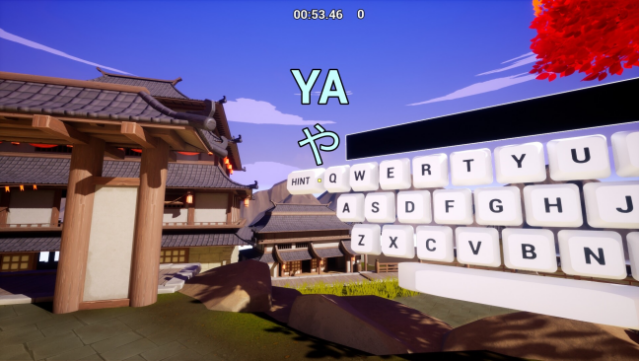
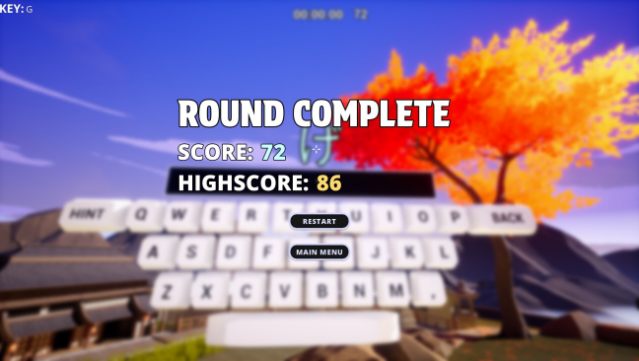
This game offers a fresh twist on language learning by merging FPS gameplay with flash-card mechanics, making vocabulary acquisition feel both engaging and dynamic. Set in a customizable learning environment, players can create and share their own flash-card lists or explore an official Japanese Module filled with curated content and pronunciations. The gameplay combines cognitive challenges with motor skills, allowing users to learn at their own pace and even remove guides for more advanced practice. With a range of content from basic vowels to over 1500 vocabulary words, players can flex their skills while competing for high scores based on accuracy and speed. This title is ideal for anyone looking to enhance their language skills while enjoying a unique and interactive experience.

Instructions
- Click the Download button below and you will be redirected to UploadHaven.
- Wait 5 seconds and click on the blue ‘download now’ button. We recommend using a download manager for faster download speeds. (You can use FDM which is free here, or any other download manager).
- Once the game is finished downloading, right click the .zip file and click on “Extract to POLYGLOCK.zip” (To do this you will need 7-Zip, which you can get here, or you can use the built in windows extractor).
- Double click inside the POLYGLOCK folder and run the setup application. Accept the EULA, and install the game. Then, launch the game through the desktop shortcut.
POLYGLOCK Free Download
Reminder: This download is completely free and won't cost you a penny. However, If you love the game and want to purchase it, you can support the developers by doing so here.
System Requirements
- OS: Windows 10
- Processor: Intel Core i3 or AMD Phenom X3 865
- Memory: 4 GB RAM
- Graphics: Nvidia GeForce GTX 460, ATI Radeon HD 4850, or Intel HD Graphics 4400
- DirectX: Version 11
- Storage: 2 GB available space
Screenshots