About Plushie Bomber
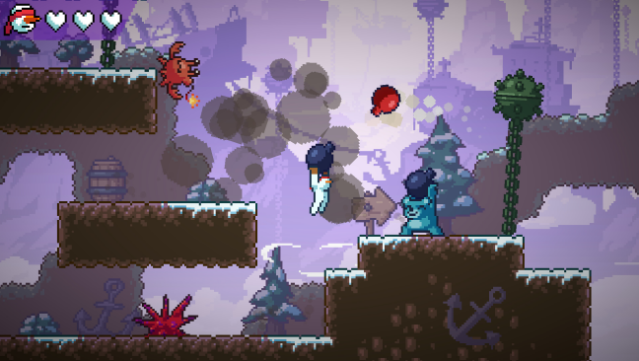
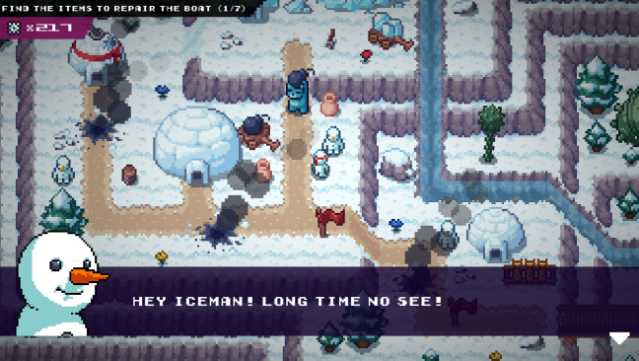
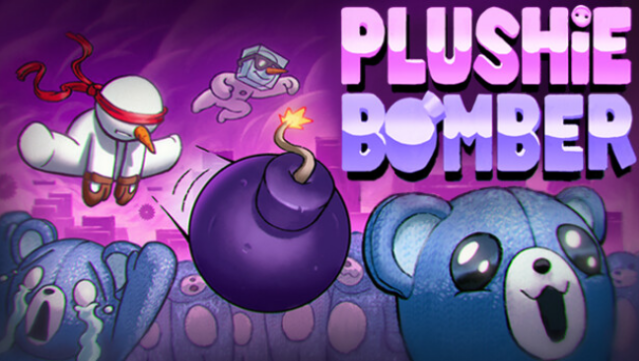
Dive into a whimsical world where you hurl bombs back at your fuzzy foes in this engaging 2D action platformer. Set across a vibrant archipelago, you navigate handcrafted levels packed with unique mechanics, relying solely on the bombs thrown by your plushie adversaries as your only means of attack. The game's charm lies in its playful aesthetic, colorful environments, and the challenge of dodging obstacles while uncovering the origins of these mischievous toys. Explore every nook and cranny to discover secret carrots hidden throughout each stage, adding an extra layer of fun for those who love a good treasure hunt. If you’re a fan of quirky platformers with a twist, this game is definitely worth your time.
Instructions
- Click the Download button below and you will be redirected to UploadHaven.
- Wait 5 seconds and click on the blue ‘download now’ button. We recommend using a download manager for faster download speeds. (You can use FDM which is free here, or any other download manager).
- Once the game is finished downloading, right click the .zip file and click on “Extract to Plushie Bomber v0.4.zip” (To do this you will need 7-Zip, which you can get here, or you can use the built in windows extractor).
- Double click inside the Plushie Bomber v0.4 folder and run the setup application. Accept the EULA, and install the game. Then, launch the game through the desktop shortcut.
Plushie Bomber Free Download (v0.4)
Plushie Bomber (v0.4)
Size: 328.82 MB
Reminder: This download is completely free and won't cost you a penny. However, If you love the game and want to purchase it, you can support the developers by doing so here.
System Requirements
- OS: Windows 7 Service Pack 1 or newer (64 bit)
- Processor: Intel core i5-4210 1.7ghz
- Memory: 2 GB RAM
- Graphics: Intel HD Graphics 4400
Screenshots