About PixelOver
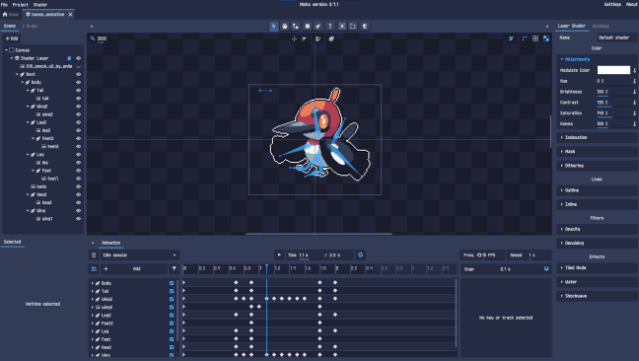
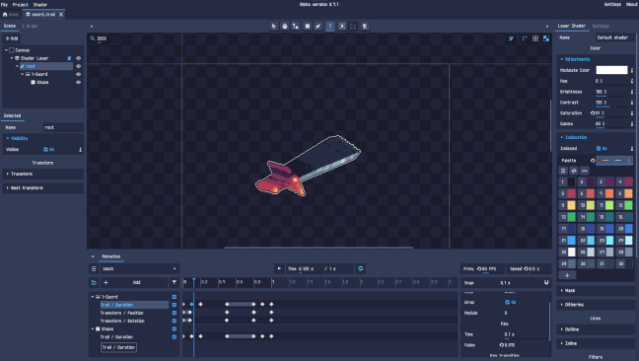
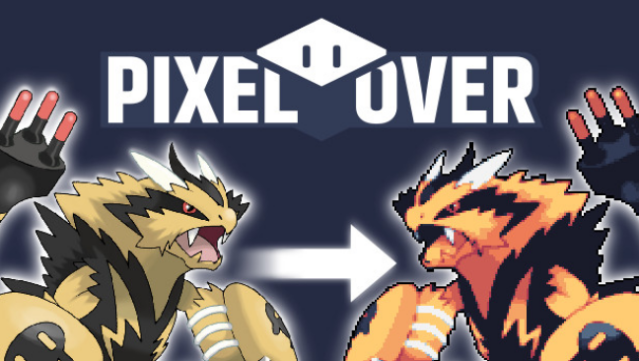
This game stands out with its powerful suite of pixel-art creation tools, allowing artists to breathe life into their creations like never before. As a pixel-art editor, it offers a versatile environment where you can import images, GIFs, and even 3D models to craft your animations. The core gameplay loop revolves around layering your artwork while applying various pixel-specific effects such as dithering and indexation, ensuring that every detail remains sharp and vibrant.
Notable features include a parent-child transform system for intuitive animation, comprehensive keyframe animation options, and a bone rigging system that simplifies the animation process. You can easily export your projects as images, GIFs, or spritesheets, making it a breeze to share your work. This tool is perfect for aspiring pixel artists and seasoned creators alike, providing everything you need to elevate your digital art.
Instructions
- Click the Download button below and you will be redirected to UploadHaven.
- Wait 5 seconds and click on the blue ‘download now’ button. We recommend using a download manager for faster download speeds. (You can use FDM which is free here, or any other download manager).
- Once the game is finished downloading, right click the .zip file and click on “Extract to PixelOver.zip” (To do this you will need 7-Zip, which you can get here, or you can use the built in windows extractor).
- Double click inside the PixelOver folder and run the setup application. Accept the EULA, and install the game. Then, launch the game through the desktop shortcut.
PixelOver Free Download
Reminder: This download is completely free and won't cost you a penny. However, If you love the game and want to purchase it, you can support the developers by doing so here.
System Requirements
- Requires a 64-bit processor and operating system
- OS *: Windows 7
- Graphics: OpenGL 3.3
- Storage: 70 MB available space
Screenshots