About picoCAD 2
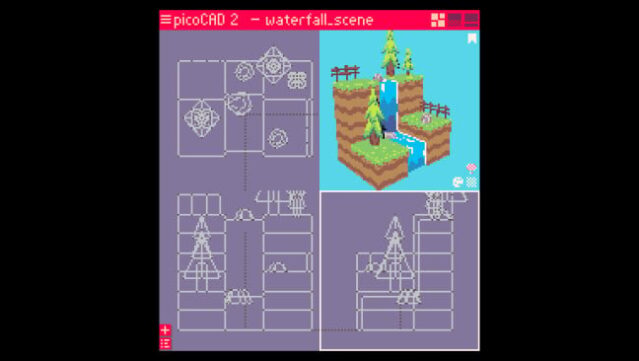
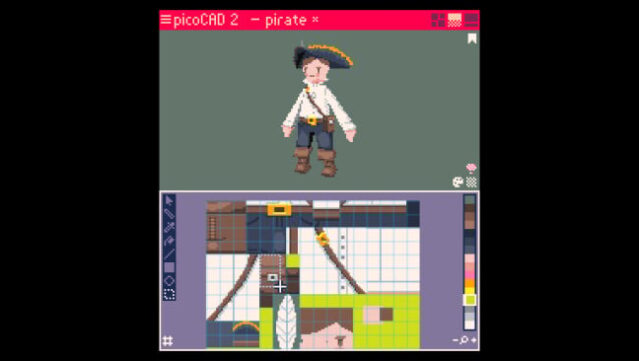
This 3D modeling tool brings a nostalgic flair to creating low-poly art with its user-friendly design. Ideal for both newbies and experienced creators, it simplifies the process of crafting retro-style models and animations in a vibrant, pixelated aesthetic. The built-in texture editor allows users to paint pixel art directly onto their models, providing immediate visual feedback, while motion tools add a dynamic touch with straightforward animations.
What sets this software apart is its robust feature set, including advanced controls for palette and shading, enhanced mesh editing capabilities, and customizable export options like GIF and GLTF. With unlimited project sizes and a refined interface, it strikes an excellent balance between accessibility and creative power. Perfect for fans of retro gaming and those looking to dive into 3D modeling with ease.

Instructions
- Click the Download button below and you will be redirected to UploadHaven.
- Wait 5 seconds and click on the blue ‘download now’ button. We recommend using a download manager for faster download speeds. (You can use FDM which is free here, or any other download manager).
- Once the game is finished downloading, right click the .zip file and click on “Extract to picoCAD 2 v2.1.0.zip” (To do this you will need 7-Zip, which you can get here, or you can use the built in windows extractor).
- Double click inside the picoCAD 2 v2.1.0 folder and run the setup application. Accept the EULA, and install the game. Then, launch the game through the desktop shortcut.
picoCAD 2 Free Download (v2.1.0)
picoCAD 2 (v2.1.0)
Size: 49.47 MB
Reminder: This download is completely free and won't cost you a penny. However, If you love the game and want to purchase it, you can support the developers by doing so here.
System Requirements
- OS: Windows 10
- Processor: Intel Core i3
- Memory: 1 GB RAM
- Graphics: Integrated Graphics
- Storage: 100 MB available space
- Sound Card: Integrated Sound card
Screenshots