About Peninsular War Battles
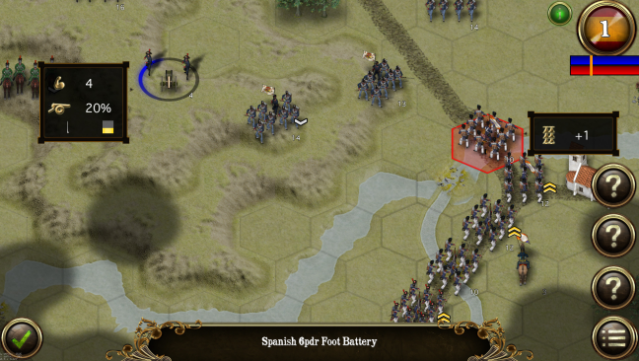
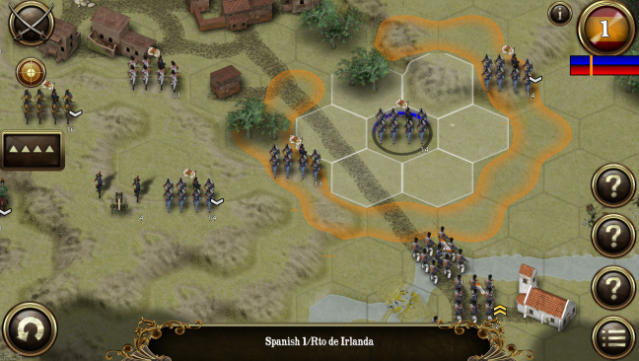
Step into the chaos of Napoleonic warfare with an incredibly detailed wargame that brings the Peninsular War to life. This tactical experience allows you to command British, French, or Spanish forces across five distinct campaigns, totaling 40 missions. Engage in meticulously crafted battles that reflect historical accuracy, featuring 64 unique combat units with authentic uniforms and flags.
The gameplay focuses on utilizing a variety of troop formations, from infantry lines to cavalry charges, emphasizing the combined arms approach that defines military strategy. You can even experiment with different troop classes, ranging from raw recruits to seasoned veterans, each impacting your battle tactics. With features like map zoom, detailed combat analysis, and the ability to flank enemies, this game is perfect for those who love intricate strategy and historical depth. If you're a fan of tactical war games, you’ll find plenty to enjoy here.

Instructions
- Click the Download button below and you will be redirected to UploadHaven.
- Wait 5 seconds and click on the blue ‘download now’ button. We recommend using a download manager for faster download speeds. (You can use FDM which is free here, or any other download manager).
- Once the game is finished downloading, right click the .zip file and click on “Extract to Peninsular War Battles v3.1.1.zip” (To do this you will need 7-Zip, which you can get here, or you can use the built in windows extractor).
- Double click inside the Peninsular War Battles v3.1.1 folder and run the setup application. Accept the EULA, and install the game. Then, launch the game through the desktop shortcut.
Peninsular War Battles Free Download (v3.1.1)
Peninsular War Battles (v3.1.1)
Size: 846.13 MB
Reminder: This download is completely free and won't cost you a penny. However, If you love the game and want to purchase it, you can support the developers by doing so here.
System Requirements
- OS: Windows Vista/7/8/8.1/10
- Processor: Intel Core 2 Duo or AMD equivalent
- Memory: 2 GB RAM
- Graphics: OpenGL 2.1 supporting graphics card
- Storage: 1 GB available space
Screenshots